
Replace disconnected files
Important data already exists, but it is scattered across Excel, emails, shared folders and separate applications.
- A consistent source of information
- History and access rights
- Search and operational dashboards

Management tools · Web applications · Automation
Spreadsheets, duplicate data entry and disconnected tools can make everyday work harder to control. SDX Development builds business applications around your teams, data and rules, with direct technical contact from France for European and international projects.
Software shaped around your business
Custom business software becomes useful when the same information moves between files, teams repeatedly enter data or standard tools require constant workarounds. The project starts by understanding how the work actually happens, then choosing the first workflow to simplify.
Important data already exists, but it is scattered across Excel, emails, shared folders and separate applications.
A request passes through several people and tools, with missed steps, repeated entry or rules that are hard to check.
The right project does not always replace everything. An application can coordinate APIs, an ERP, a CRM, a website or field equipment.
A concrete first scope
The first release needs to solve an identifiable problem and be usable by real people. Secondary features are prioritised from observed work after that foundation is validated. Representative records, exceptions and acceptance criteria help your team assess the behaviour early.
If the application will be offered to multiple companies or sold through subscriptions, explore custom SaaS & MVP development.
From real operations to production
Screens are only part of the work. Rules, data, permissions and future operation need to remain consistent as each release is reviewed with your team.
Teams work from structured, shared records with a history instead of competing versions of the same file.
People can find the next action, outstanding approvals, deadlines and the actual status of a job without repeated follow-ups.
The application focuses on useful needs today while preparing for integrations and functions confirmed by real usage.
The project starts with your workflows, data and team actions. Established technical components support reliability and security; custom development focuses on business rules, screens and automation. This keeps the investment focused on the functions that make the tool useful, with a foundation that can be maintained after delivery.
A standard product is often the best choice when it meets the need. Custom development becomes relevant when workarounds, duplicate entry, missing integrations or specific rules create a lasting operational cost that adapting the organisation cannot reasonably resolve.
Yes, and it is usually a useful approach. A first release centred on one priority workflow lets your team validate behaviour before extending the application to other functions.
Yes, where the tools provide sufficiently reliable APIs, exports or exchange mechanisms. Feasibility, permissions and limitations are checked during discovery before integration work is quoted.
Responsibilities, hosting, access, backups and data return conditions are defined in the project. Customer data is not used to train a model or for another purpose without an explicit framework. Location and external transfers are reviewed when choosing services.
A standard product is often a good starting point if its functions cover the need. Custom development becomes useful when business rules, data exchanges or journeys require too many workarounds. The initial review compares practical fit and operating costs as well as the build budget.
| Off-the-shelf software | Custom software |
|---|---|
| Usually faster to start | Discovery and development around the actual workflow |
| Subscription or licence terms set by the vendor | Project investment and an operating budget |
| Processes adapted to the product | Rules and interfaces adapted to the process |
| Vendor-provided integrations | Integrations assessed against the available APIs |
| Development follows the vendor’s roadmap | A roadmap agreed around your priorities |
Both approaches can coexist: keep a proven tool and build the missing function or interface around it.
Based in France, I work directly with the people who will use and manage the application. Remote workshops and demonstrations with representative records help clarify workflows across sites and time zones. We agree data migration, limitations of existing tools, roles and acceptance criteria together. Documentation and handover responsibilities keep the system understandable beyond the initial release.
 Business software
A business ERP connecting jobs, constraint-based scheduling, stock, invoicing and a customer extranet, with ITS Report for video inspection.
Read the case study →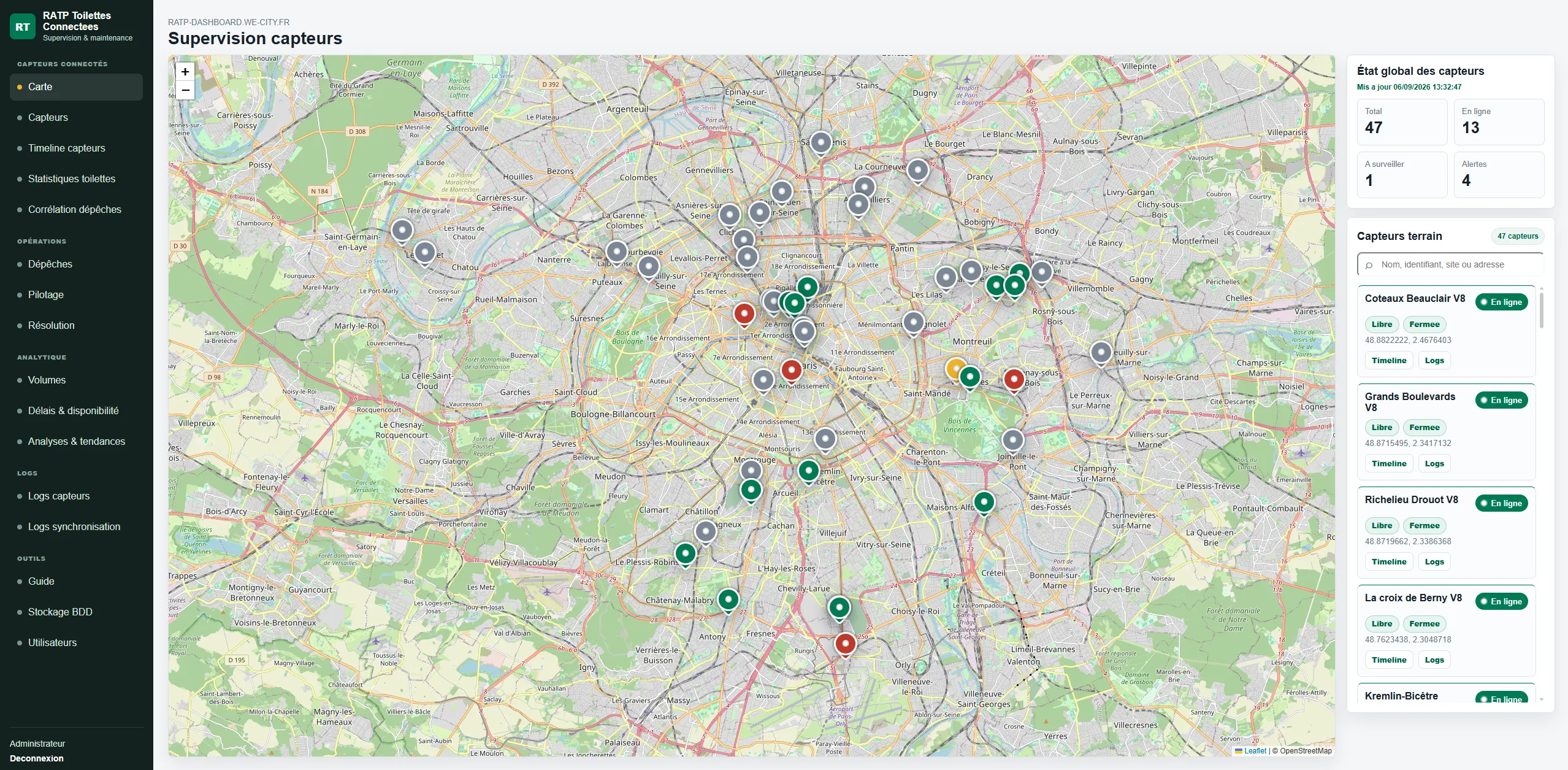 Supervision
An IoT supervision platform connecting equipment, operational incident reports, commands and resolution tracking.
Read the case study →Describe the tools in use, the people involved and the step taking the most time. We can identify a realistic first scope with your team, wherever it is based.
Enter at least 2 characters to start searching.