
Schedule around real constraints
Daily capacity, variable durations, recurring visits, GPS grouping and calendar conflicts are handled before interventions are saved.

Idea to Software
Organising work, managing contracts and delivering reports: a business platform extended by ITS Report, all the way to software running on inspection equipment.
All case studies Enlarge
01 / Idea to Software
Field work starts before a technician leaves the office and continues after the visit. The team needs to prepare a quote, distribute visits, organise resources, record findings, deliver a report and follow up on invoices and payments.
Idea to Software connects these stages through customers, contracts and interventions. Designing the product means working on the transitions between screens as well as the rules that keep records consistent: where a document gets its information, who can act on it and how an action affects the next stage.
The modules share the context of the job. Office staff, field teams and customers each have access suited to their role.
Customer, estimate, order
Contract, rules, schedule
Teams, resources, site
Reports, photos, review
Documents, batches, payments
Activity, margin, cash flow
02 / Jobs & scheduling
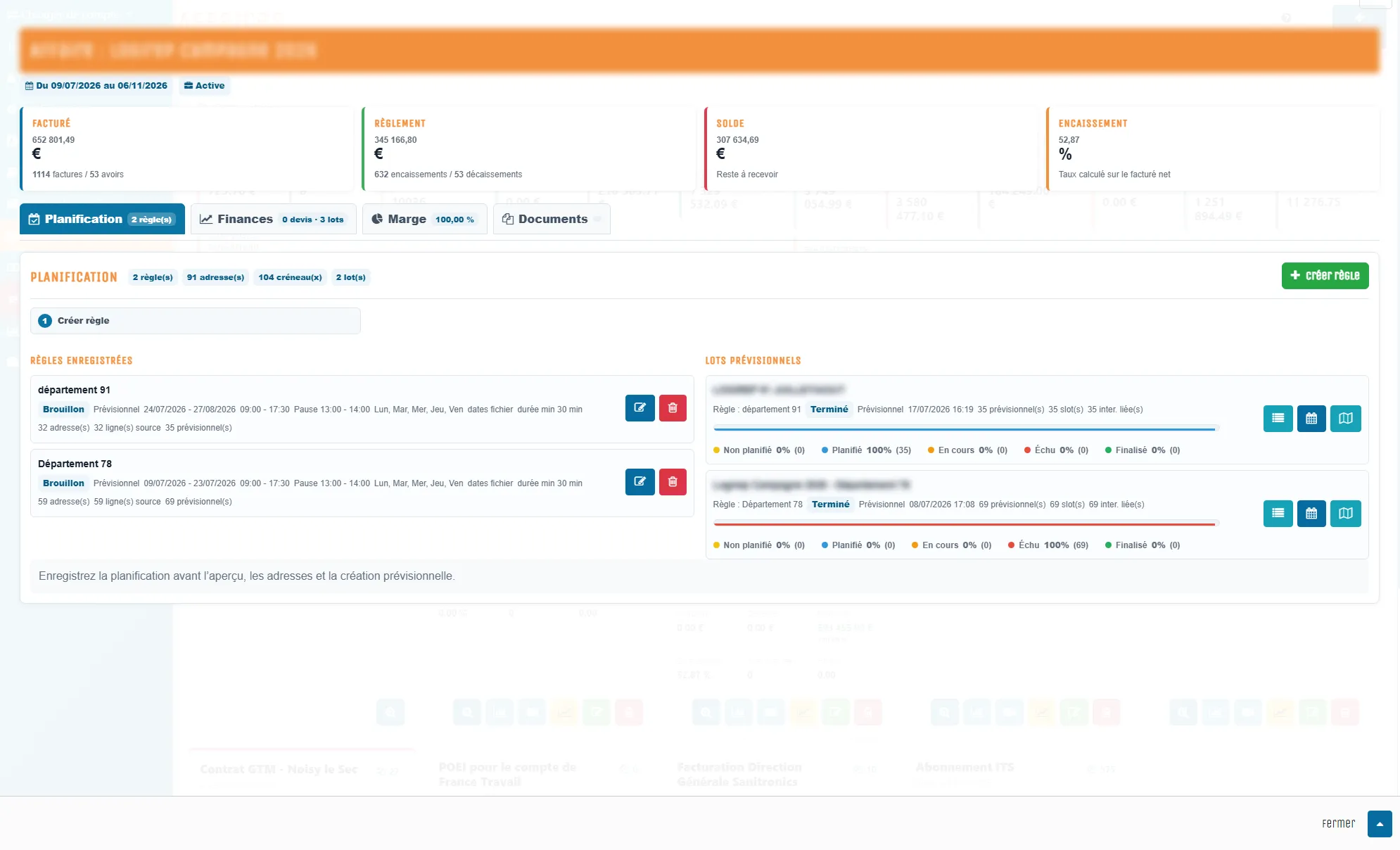
A job brings together commercial documents, addresses, recurring visits and financial tracking. Rules or an Excel import provide the starting point for scheduling visits around working hours, durations, frequencies and available capacity.
The engine produces a preview before creating interventions. It checks for conflicts with technician calendars and flags periods that are too short. Geographic grouping and fixed dates support different ways of organising field work.
 Enlarge
03 / Field work & deliverables
The intervention record brings together technician instructions, times, photographs, signatures and generated documents. Report templates structure the information required for the task, while the PDF remains accessible from the record.
The workflow distinguishes work in progress, a signed report and validation. Operational views use those states to show activity, time spent and records still awaiting completion.
 Enlarge
04 / Business management & finance
Quotes, invoices, credit notes, payments and expenses are linked to jobs. Rebilling batches and document defaults support recurring administrative work. Catalogues, purchasing and inventory movements complete the management workflow.
Financial views can be filtered by period, entity, job or customer. Collections, risk and cash-flow screens provide access to the records behind the figures, with identifiable assumptions for projections.
 Enlarge
05 / Customer portal
Customers find their quotes, invoices, interventions and reports in a dedicated portal. They can consult documents, respond to a quote and access the information shared with them through one consistent interface.
Customer access is separate from administration and technician access. The calendar, supporting documents and intervention updates are presented through a journey designed for the recipient.
 Enlarge
06 / ITS Report
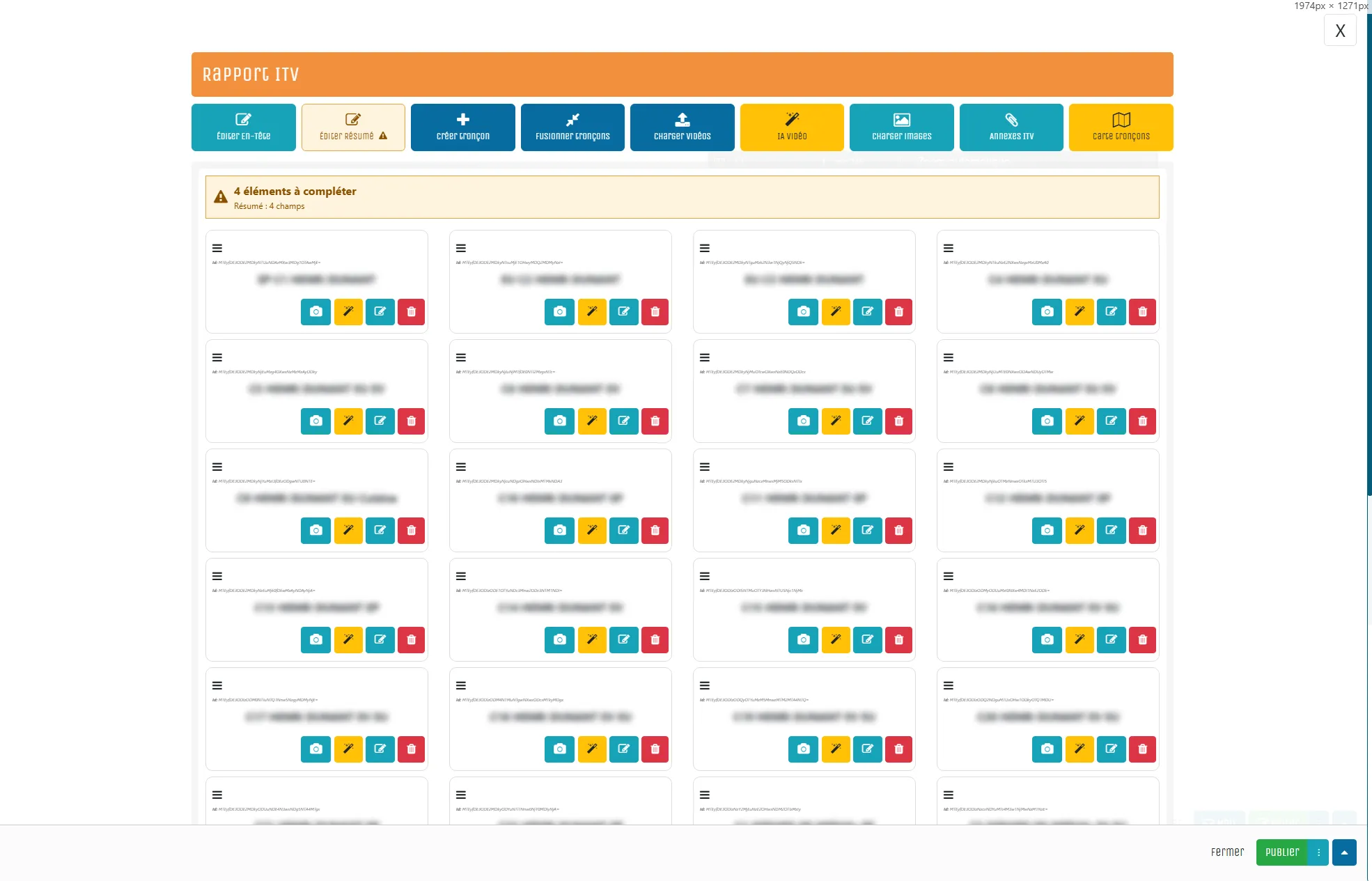
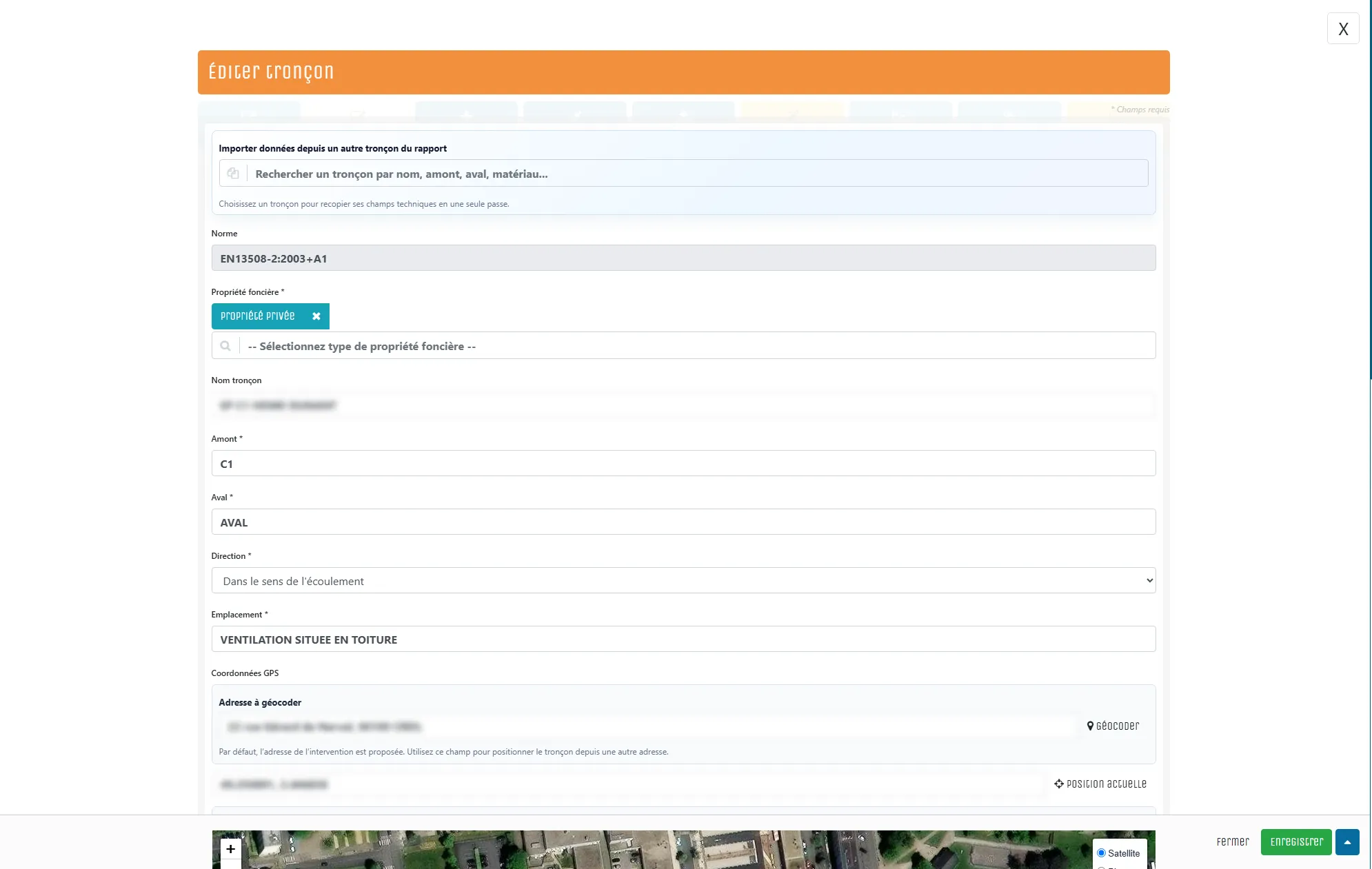
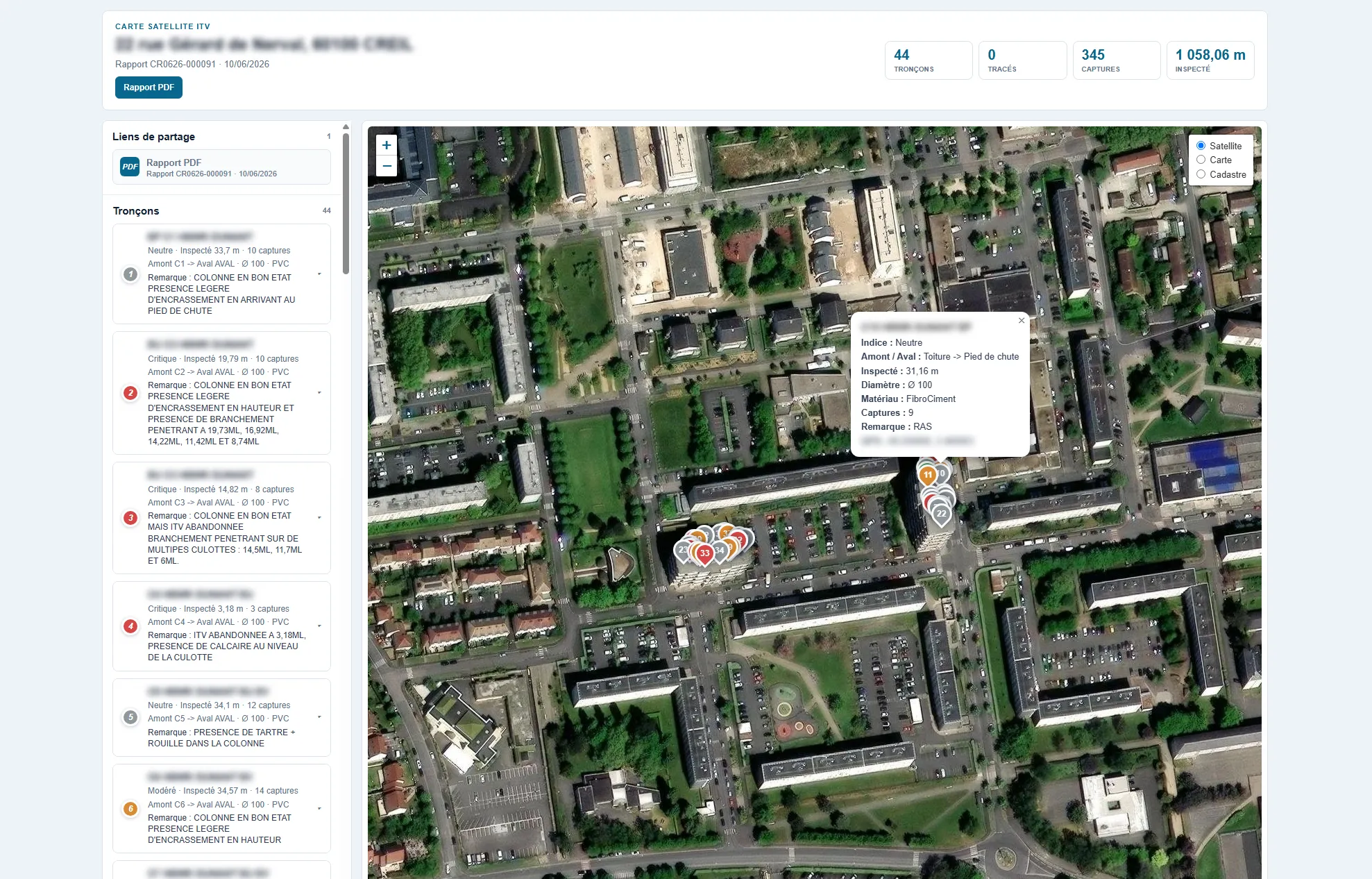
Video inspection needs a clear connection between an observation, its location and its image. ITS Report organises the record by pipe section, bringing together technical characteristics, distance readings, captures, video and observation classification.
The editor, section map and private sharing view offer different ways to explore the same record. The PDF brings together information prepared by the operator, who remains responsible for classification and validation.
 Enlarge
The AI tools for video-inspection analysis and classification visible in some screenshots are described as being finalised on the product website. They are separate from the data-entry and validation workflow presented here.
07 / ITS Report Local
The embedded version of ITS Report puts the interface alongside the operator: video feedback, image capture, recording, annotations and report preparation on the inspection unit.
Local operation allows work without an Internet connection. Browser access on the equipment’s network, controls suited to field use and a guided mode address a different environment from the office.
 Enlarge
The depth of the product lies in the rules connecting its functions and the details that make them usable in day-to-day operations.
Daily capacity, variable durations, recurring visits, GPS grouping and calendar conflicts are handled before interventions are saved.
Customers, addresses, documents, expenses and interventions retain their job references. Schedule creation uses a transaction to avoid partially saved plans.
The system separates document-driven stock changes, field movements and vehicle inventory. Output modes prevent the same consumption from being counted twice.
Account context, configuration permissions, technician assignments and customer access are reflected in the processing and interfaces.
The API exposes business resources under defined permissions. Inspection transfers associate reports, media and metadata with the correct record and track the outcome.
Report templates, document settings and embedded interface releases allow the product to evolve with operational needs and different working practices.
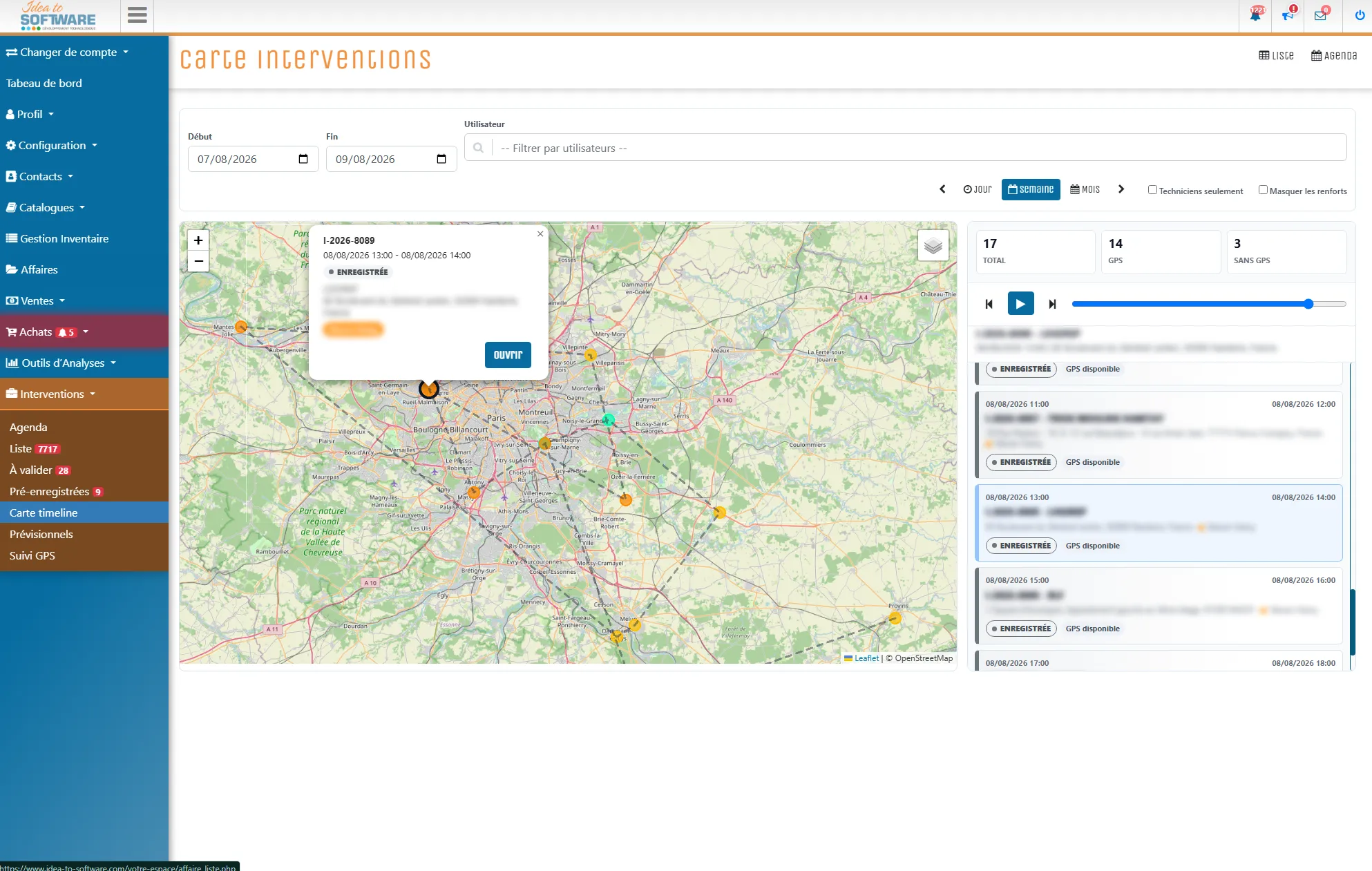
These additional views show the tools used throughout the workflow. Open any image to inspect the interface at full size.
 Enlarge
 Enlarge
 Enlarge
 Enlarge
 Enlarge
 Enlarge
 Enlarge
 Enlarge
 Enlarge
 Enlarge
 Enlarge
 Enlarge
Idea to Software shows the work involved in connecting business management, field execution and a technical specialism such as inspection. The interfaces serve different purposes while remaining linked to the record and the people responsible for moving it forward.
Prepare, assign and track the work.
Carry out, document and share.
Find documents and follow their interventions.
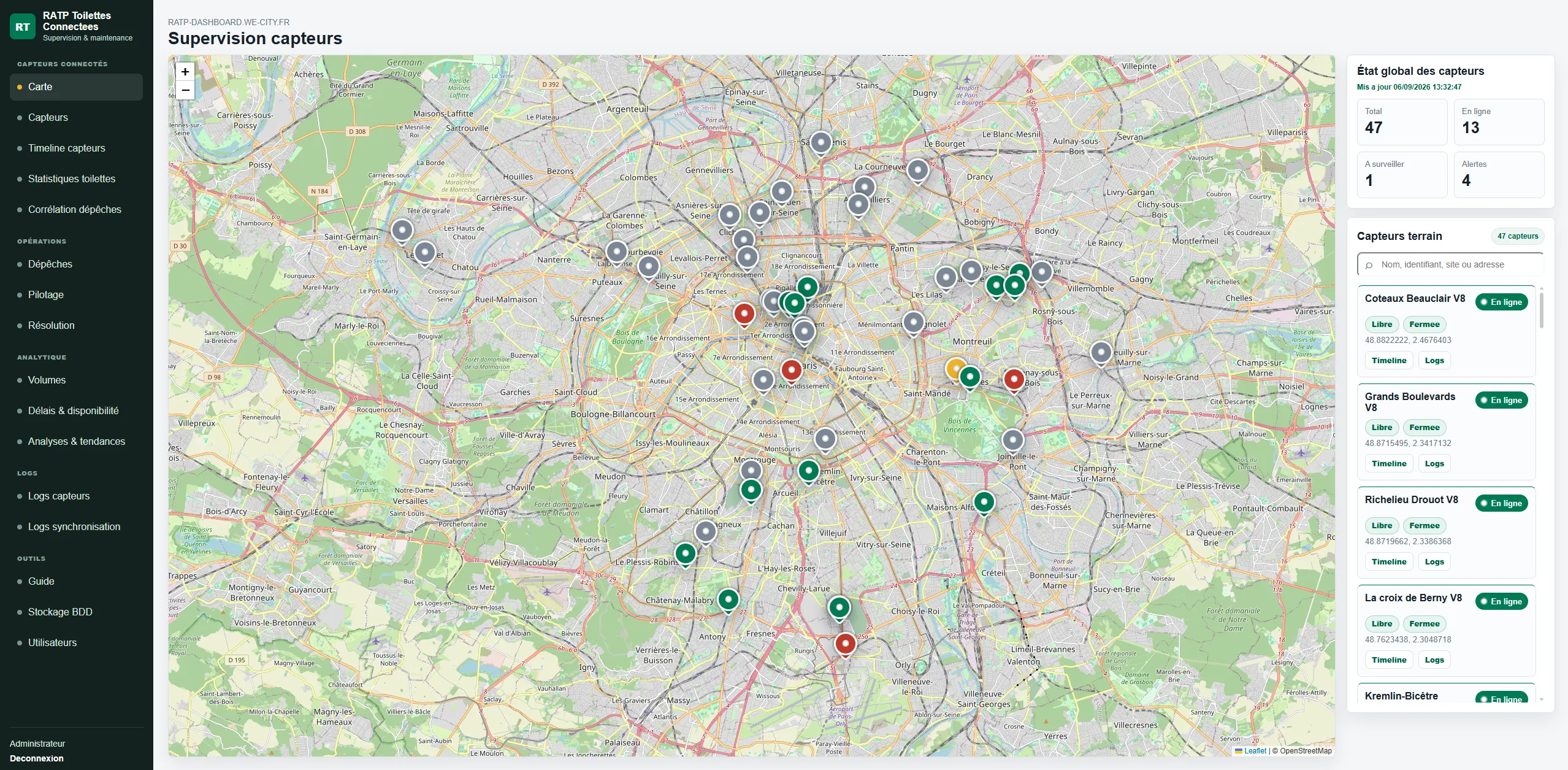
Operational supervision
An IoT monitoring platform connecting equipment data, operational incident reports, device commands and resolution tracking.
Explore the project : RATP Toilettes Connectées
Professional websites
An industrial website with a custom CMS: technical content, the C.A.R.E. method, project references, franchise information and diagnostic enquiries.
Explore the project : RésilinerWhat are you working on?
Let’s map your records, teams and information flows to define useful business software or a SaaS product. Based in France, I work with businesses across Europe and internationally.
Enter at least 2 characters to start searching.