
Intents
Define what the user is trying to accomplish before choosing which operations to expose.

Applied AI · SaaS Integration
The developments announced at DevDay open ChatGPT further to third-party software. For a software provider, the challenge is to choose which user journeys to make accessible there without weakening its application or its controls.
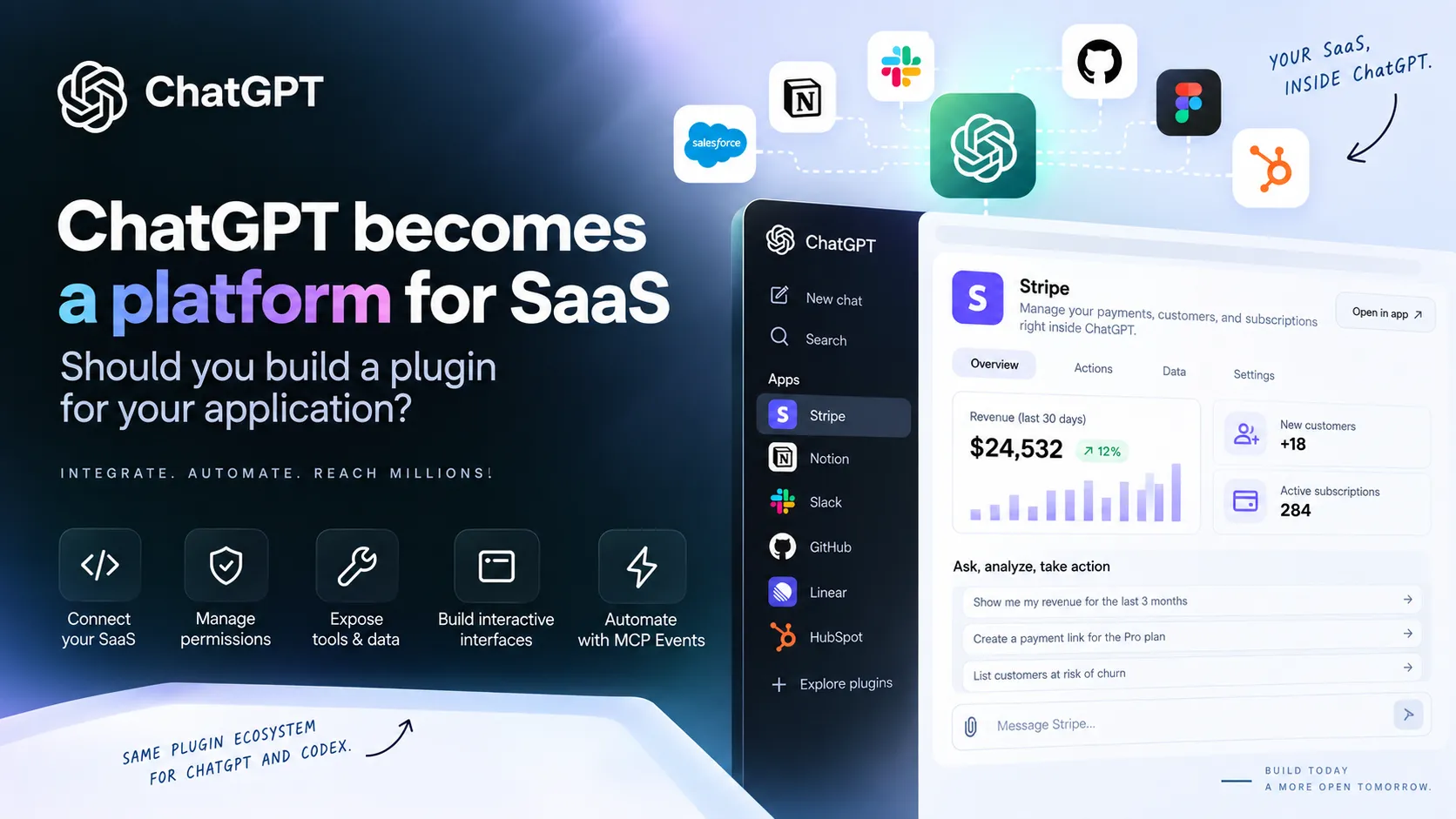
A user may want to retrieve data or start an action without opening several screens in their business software. Connecting certain SaaS capabilities to ChatGPT can meet this need, provided you choose precisely which ones.
This is not about moving the entire product into a conversation. The application retains its interface, business rules, and access controls; the plugin provides an additional point of entry.
The announcements presented by OpenAI at its DevDay on September 29, 2026, therefore raise a design question: which tasks genuinely benefit from being carried out in ChatGPT or Codex, and which should remain in the software?
According to the OpenAI announcements presented in the brief, Plugin Extensions expand third-party services’ presence in ChatGPT: the sidebar, composer, interactive panels, and file viewers are among the surfaces mentioned. Users could thus consult business information while continuing their conversation.
Plugins are no longer limited to returning text. Components can make data that does not lend itself to a simple answer easier to read, without reproducing the entire application.
However, availability should be checked before designing an essential user journey. The DevDay recap and technical documentation, as reported in the brief, do not describe the arrival of certain web extensions on Free and Go plans in the same way.
For a SaaS that accesses private data or performs actions, the MCP server is generally the central piece of the integration. It declares the available tools and their parameters, then forwards validated requests to the product’s API and business logic.
The flow can be summarized as follows: ChatGPT or Codex → plugin → MCP server → SaaS services. A documentation-only plugin, on the other hand, can rely on instructions and resources without exposing business actions.
The existing web interface does not disappear: the database, business rules, and permissions remain managed server-side. The documentation mentioned in the brief also recommends keeping tools usable without a custom interface component.
Define what the user is trying to accomplish before choosing which operations to expose.
Describe inputs and outputs that are clear and understandable for each selected business action.
Keep validation, business logic, and permission checks in the SaaS services.
Add a visual component only when it genuinely helps users view or work with the result.
Turning every endpoint into an MCP tool would make the plugin difficult to understand and govern. It is better to start with recognizable requests: searching for a customer, displaying unpaid invoices, or preparing an action are more useful intents for billing software than a collection of internal technical operations.
Each tool should access only the data and functions needed for its purpose. Write or destructive actions require clear descriptions and appropriate controls; an initial version can prioritize read-only access.
Find an item, display its status, or summarize data the user is authorized to view.
Define the action, its parameters, required permissions, and expected confirmation precisely.
Keep the dedicated interface when the task involves numerous settings or visual controls.
Display a specialized record or file if a text response is not enough for the requested task.
The MCP Apps standard and interface extensions mentioned in the brief make it possible to consider visual resources displayed in ChatGPT. For example, a customer record beside a discussion can help users review a case without recreating the entire CRM in chat.
This visual layer remains complementary: the tool should have a clear business purpose even when the panel is not displayed.
For private data, the brief says that OpenAI documents OAuth 2.1 for authenticated MCP servers. The server must check the token, its validity, its audience, and the permissions associated with each request.
The model does not determine permissions. If someone cannot view a project in the application, they should not be able to access it through ChatGPT. The access requested when connecting the plugin should also remain explicit and proportionate.
The right choice depends on the task. A short request, expressed in natural language and based on a few clearly defined data points or actions, can fit into a conversation. Extensive navigation or precise visual manipulation generally calls for a dedicated interface.
| User journey | ChatGPT plugin | Dedicated interface |
|---|---|---|
| Search or summarize business data | Suited to a targeted request | Useful for exploring and checking |
| Trigger a simple action | Possible with appropriate permissions and controls | Useful for guided workflows |
| Use a dense dashboard | More of a complement | Generally preferable |
| Manipulate a complex visual object | Limited by the host environment | More comprehensive control |
| Combine multiple services in one exchange | Potential benefit | Integrations to build into the product |
A hybrid approach is often the most coherent: let the application handle complete workflows and offer searches, summaries, or quick actions in ChatGPT that benefit from conversational interaction.
The brief describes MCP Events as a mechanism that allows ChatGPT to respond to events sent by an application as part of a workflow previously defined by the user. In a project management tool, for example, a new task could trigger preparation or analysis.
This area calls for caution: OpenAI presents it as a proposed specification that is still at the draft stage. According to the documentation described in the brief, the ChatGPT integration supports webhooks and callback verification, but not all the modes considered in the draft; it requires MCP 2.0 and protocol version 2026-07-28. A modular architecture will make it easier to adapt if these details change.
A local prototype is not enough to make a plugin public. The brief mentions a submission and review process, publisher verification, a remotely accessible MCP server over HTTPS, and a review of the exposed tools.
After approval and publication, presence in the directory shared by ChatGPT and Codex should not be confused with promotion or guaranteed acquisition. The value of the user journey should come before assumptions about distribution.
The most natural candidates are products with structured data, identifiable business actions, and a backend capable of applying its permissions to a new client. A CRM, a document tool, or project management software may offer such user journeys; their actual value should still be validated with the users concerned.
Use this framework to select a specific workflow, not to assume it will be adopted.
If these conditions are met, a read-only search, detailed retrieval, and possibly a simple write action provide an initial scope to evaluate. Visual components and events can be considered separately once the need is confirmed.
The decisive criterion is not whether the SaaS can be connected to ChatGPT, but whether a task can be made more accessible without bypassing the requirements of the existing product.
This analysis draws on the official OpenAI DevDay 2026 recap and OpenAI developer documentation on plugins, Plugin Extensions, MCP servers, their authentication and publishing, and MCP Events, as described in the brief.
The brief states that the information was checked on September 30, 2026. Direct links and independent confirmation of availability and technical terms remain to be added before publication; no links that were not provided have been added here. The user journey examples and architecture recommendations are analysis, not a promise of results or distribution.
APPLIED AI
Computer vision, YOLO and RAG become useful when they connect to your real data, teams and constraints.
Enter at least 2 characters to start searching.