
Administration
EmDash brings content, media, and editorial tools together in the Astro project; the team’s workflows should be tested with a prototype.

Web Development · CMS
Cloudflare presents EmDash 1.0 as a stable release of its CMS built on Astro and TypeScript. Its appeal depends less on the announcement itself than on the project’s needs and what would need to be rebuilt when leaving WordPress.
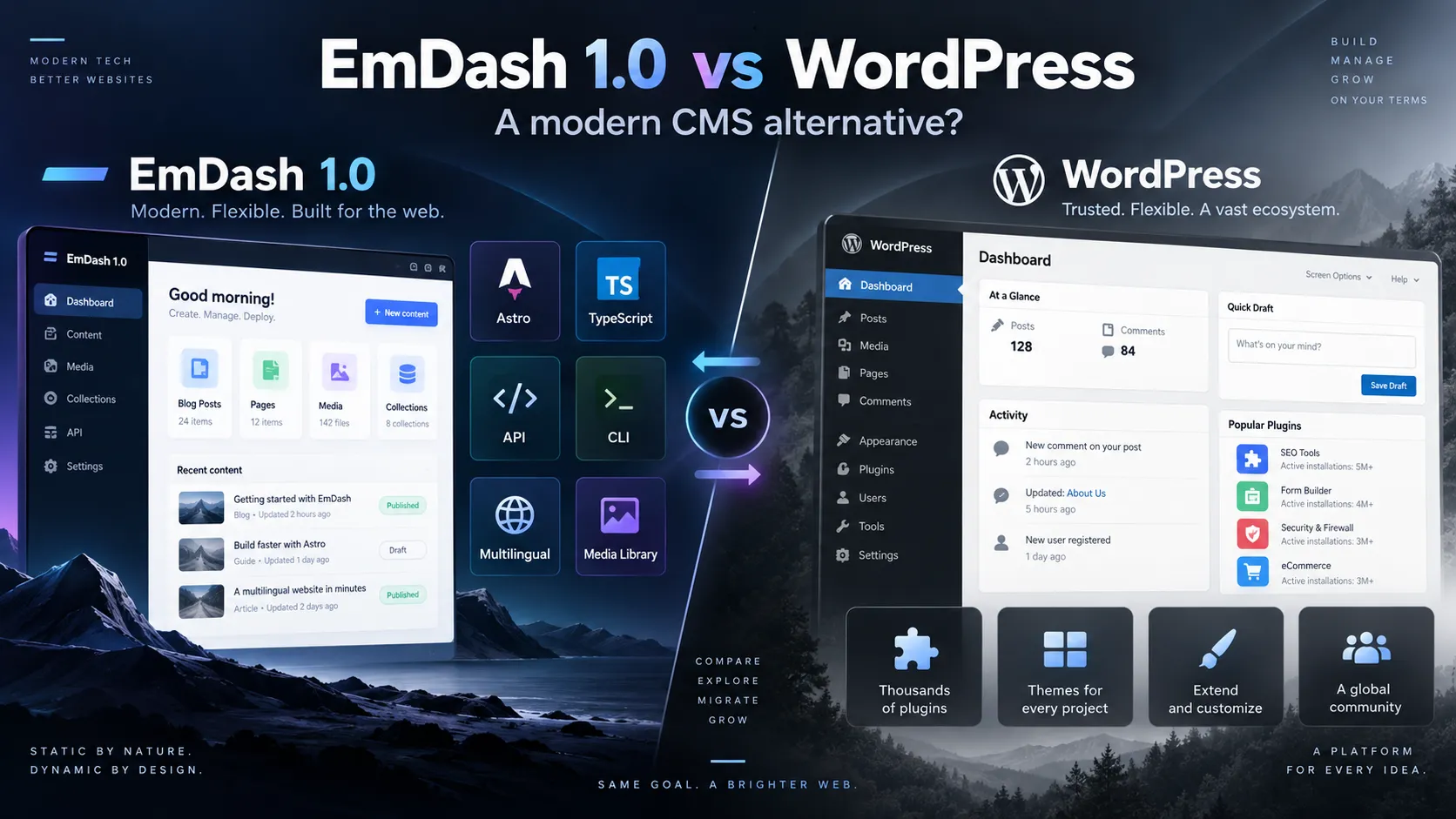
Announced by Cloudflare on September 28, 2026, EmDash 1.0 brings together editorial administration, media library, structured content, multilingual support, API, CLI, and MCP server around an Astro project. This combination is worth considering for teams already developing with TypeScript.
However, reaching version 1.0 does not make WordPress extensions compatible or enable automatic migration. To assess its value, you need to distinguish the CMS features, the maturity of its ecosystem, and the site dependencies that would need to be replaced.
A new custom-built site and a WordPress site enhanced over many years do not present the same challenge. In the first case, EmDash can provide a foundation to evaluate; in the second, the main task is rebuilding existing functionality.
EmDash is presented as an integration for Astro. The web project retains its Astro routes and rendering; EmDash provides administration, authentication, content, media, and programming interfaces. It therefore does not use the model of a PHP theme running inside WordPress.
Content types can be defined in the database and then used from Astro with TypeScript types generated from the schema. For rich content, EmDash uses Portable Text, among other things, to reduce the coupling between editorial data and its HTML rendering.
This approach is of particular interest to teams that want to build a custom front end while keeping a back office for contributors. It does not eliminate the need to design templates or organize the project’s data.
EmDash 1.0 introduces a plugin registry. Some plugins can run in an isolated environment and declare the capabilities they need, such as reading content or accessing media. This separation is intended to limit the access granted to an extension.
It would be inaccurate to say that all EmDash plugins are isolated. Native plugins are also loaded directly into the site process when they need to integrate more closely with the administration or rendering. Installing them therefore requires a different level of trust.
By contrast, WordPress benefits from an ecosystem of themes and extensions built up over a long period. A need currently met by a WordPress plugin may require an external integration or TypeScript development in EmDash. This difference matters particularly for sites with many business-specific features.
EmDash brings content, media, and editorial tools together in the Astro project; the team’s workflows should be tested with a prototype.
The schema and TypeScript types can help organize records, resources, or data used across multiple pages.
Isolated plugins and native plugins do not share the same execution model or access level.
The freedom to build a custom site requires the ability to maintain Astro, TypeScript, and project-specific integrations.
The choice becomes clearer when you start with actual needs rather than an abstract list of features. The presence of a development team, the editorial freedom required, and the extensions already in use all affect the answer.
A 1.0 release may be sufficient to test an architecture on a focused project without necessarily being a reason to replace a site that already works.
EmDash is worth trying if the front end is built with Astro, content needs to be manageable, and few features depend on ready-made plugins. Performance should be measured on the completed site, not assumed based on the CMS choice.
The localization model includes slugs, statuses, and revisions specific to translations. For an existing WordPress site, relationships between languages should be checked before considering a large-scale migration.
A project rich in content types, APIs, and custom components may benefit from a cohesive Astro and TypeScript stack. Integration and maintenance costs still need to be estimated.
WooCommerce, a page builder, membership area, LMS, or business connectors require a thorough inventory. Importing content alone does not replace any of these features.
The documentation describes importing a WordPress eXtended RSS (WXR) file and using the EmDash Exporter plugin on the source site. Depending on the method and available data, these tools can retrieve content, taxonomies, media references, and other editorial information. The precise scope should be checked against the EmDash version being used.
A WXR file does not contain all media library files by itself: EmDash can retrieve them from their source URLs. It is therefore prudent to keep WordPress accessible until images, documents, captions, and rewritten links have been checked. The documentation also notes that translation relationships from WPML or Polylang are not preserved by WXR export.
A WordPress PHP theme cannot be installed in EmDash: its routes, components, and styles must be ported to Astro. WordPress plugins are not compatible either. You need to review the features actually in use, then decide whether to replace, redevelop, or drop them.
The best indicator of complexity is therefore not just the number of articles to import, but the number of user journeys and integrations to preserve. This also includes forms, users, redirects, SEO metadata, and editorial workflows.
Both solutions let you publish and manage content, but they do not offer the same level of autonomy to a team without a developer, nor do they rely on the same technical ecosystem.
| Criterion | EmDash 1.0 | WordPress |
|---|---|---|
| Foundation | Astro project and TypeScript development | CMS built on PHP and JavaScript |
| Administration | Integrated into the project; workflows to validate | Highly mature editorial ecosystem |
| Structured content | At the heart of the model presented | Possible with CMS features and extensions |
| Themes and plugins | Early-stage ecosystem; custom development is possible | Extensive, long-established catalog |
| Migration from WordPress | Data import, followed by porting the front end and required features | Existing site and extensions to audit before any redesign |
| API and automation | API, CLI, and MCP server integrated into the project | API and CLI available; integrations depend on requirements |
This table does not declare a winner: it helps identify where the work will be. With EmDash, this often means building and maintaining the project; with WordPress, it may mean ensuring the consistency and upkeep of existing extensions.
With its CLI and MCP server, EmDash supports interactions with compatible tools, including querying a schema or preparing content operations. These capabilities do not justify giving an agent unrestricted access to the CMS.
Permissions, authentication, traceability, and human review should all be part of designing each workflow. The fact that an action can be automated does not mean it should be published without review.
Cloudflare presents EmDash 1.0 as a stable release and says it migrated its own blog to the CMS. This is relevant real-world experience, but it does not guarantee the same result for another site, whose code, hosting, and dependencies will be different.
The project’s relative youth makes it advisable to test the documentation, required extensions, and deployment procedures under the project’s actual conditions before choosing EmDash for production.
For a new Astro site with a custom front end and structured content, EmDash 1.0 is worth prototyping. For an existing WordPress site, an assessment is most relevant if a redesign is already planned and the team can take responsibility for the features that need to be rebuilt.
A representative trial should cover the site’s workflows, not just its home page.
A migration motivated solely by EmDash’s newness would be difficult to justify. A prototype, however, can show whether its architecture genuinely simplifies a custom project or shifts too much work into bespoke development.
The soundest decision is to estimate what needs to be retained, rebuilt, and maintained, then compare the result with evolving the current WordPress site. That is the level at which EmDash and WordPress become truly comparable.
Cloudflare — EmDash 1.0 and plugin registry announcement ; EmDash — official GitHub repository ; npm — emdash package.
EmDash documentation — migrating from WordPress ; porting WordPress themes ; porting WordPress plugins. Consult the procedures for the installed version before preparing a migration.
WEB DEVELOPMENT
PHP migration, CMS update or framework evolution: identify compatibility points and validate essential user journeys before going live.
Enter at least 2 characters to start searching.