
Processing…
Web Development · Shopify · MCP/UCP
Global Catalog REST shuts down on November 2, 2026. Four REST → MCP/UCP conversions, request examples, agent profiles, and a migration checklist.
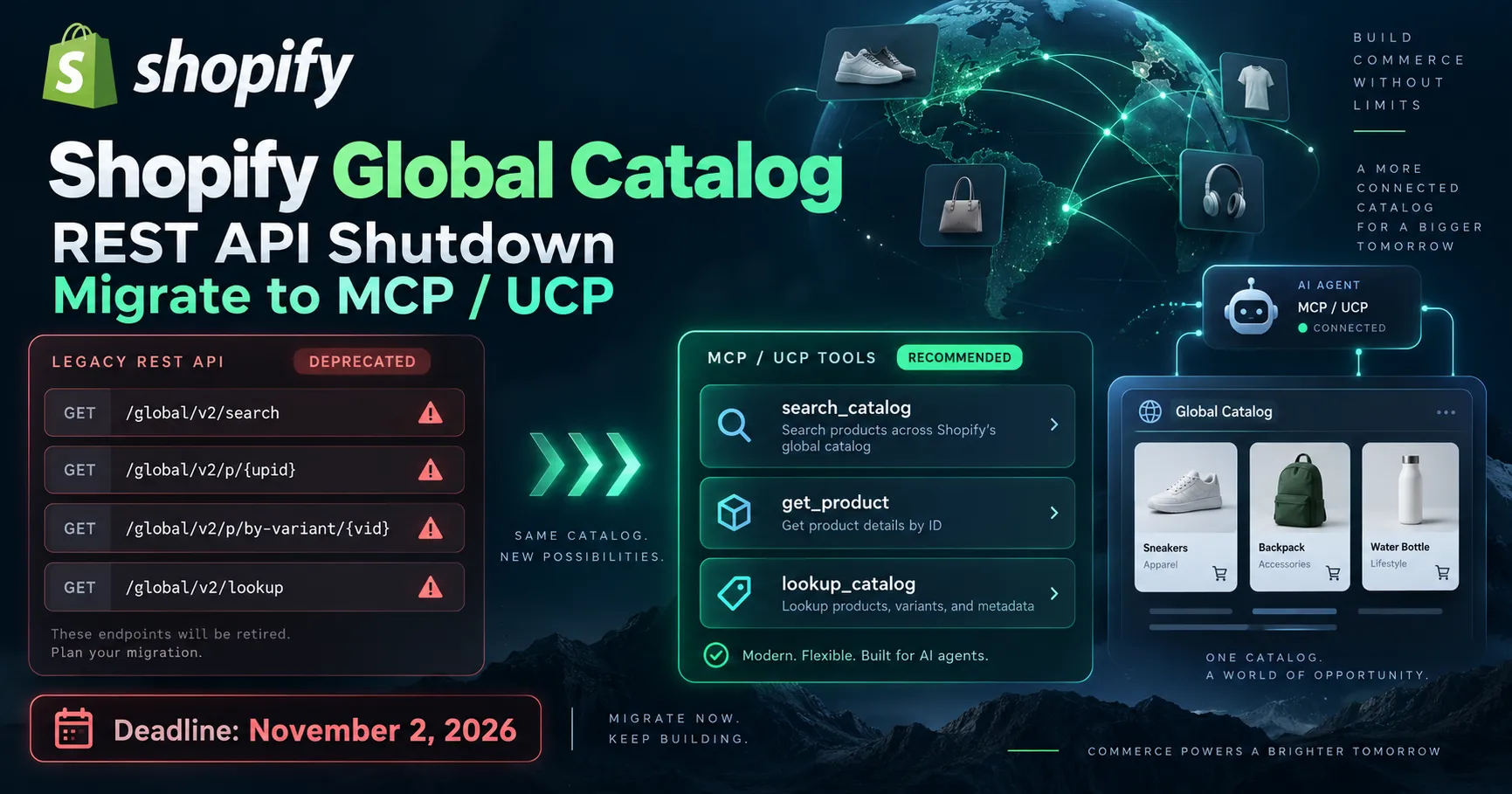
On November 2, 2026, Shopify will stop serving traffic to its Global Catalog REST API. Deprecated since April, this multi-merchant product discovery service will no longer respond on its old /global/... endpoints. Announced on October 9, 2026, the deadline requires migrating affected integrations to Global Catalog MCP, which follows the Universal Commerce Protocol (UCP).
This change does not mean Shopify is removing all of its REST APIs: it specifically affects Global Catalog, which is used to search for products across multiple Shopify stores. For an e-commerce integration, SaaS, or shopping agent developer, migration requires more than replacing a URL: you need to adapt the transport, the tools being called, identifiers, the agent profile, and response schemas. Here are four REST → MCP conversions, followed by a validation method to use before the shutdown.
Starting November 2, 2026, calls to https://discover.shopifyapps.com/global/... will fail, including calls for saved catalogs. Shopify recommends using search_catalog, get_product, and lookup_catalog via https://catalog.shopify.com/api/ucp/mcp. The existing bearer token can be kept, but the request and response formats are changing.
Only clients of the legacy Global Catalog REST API are affected. This is the service that allowed users to discover and retrieve products from more than one store, on the discover.shopifyapps.com domain. Shopify says all corresponding /global/... paths will be shut down, including saved catalog endpoints.
This is not the shutdown of the Admin API, nor of the Storefront API, nor a mandatory migration of all stores to MCP. Shopify also distinguishes Storefront Catalog MCP from Global Catalog MCP for agents limited to a single merchant's catalog. So start by auditing the domains and routes your application uses: don't change integrations that are not affected.
| Old REST call | New MCP/UCP tool | Parameter to adapt |
|---|---|---|
GET /global/v2/search |
search_catalog |
catalog.query and filters |
GET /global/v2/p/{upid} |
get_product |
catalog.id = gid://shopify/p/{upid} |
GET /global/v2/p/by-variant/{vid} |
get_product |
catalog.id = gid://shopify/ProductVariant/{vid} |
POST /global/v2/lookup |
lookup_catalog |
catalog.ids, 1 to 50 identifiers |
Shopify published this mapping on October 9. With MCP, you don't call four separate HTTP paths: you send a JSON-RPC tools/call request to a single entry point, and the tool name appears in params.name. Business arguments are grouped under params.arguments.catalog.
The destination endpoint is https://catalog.shopify.com/api/ucp/mcp. Every call must include params.arguments.meta.ucp-agent.profile, which is the URL of your agent's UCP profile. This profile indicates the capabilities the agent claims; the server negotiates the available tools and fields. The following examples use an illustrative profile hosted by Shopify, which should be replaced with your application's profile in production.
To expose global tools and their enriched fields, Shopify specifies that a custom profile must declare the base capabilities dev.ucp.shopping.catalog.search and dev.ucp.shopping.catalog.lookup, as well as the dev.shopify.catalog.global extension. An extension without its base capability is not sufficient.
The existing bearer authentication can be kept: tokens created from Dev Dashboard client credentials remain usable. However, the request body is no longer JSON specific to the old REST endpoint. The code below illustrates HTTP transport to MCP; the actual configuration depends on the MCP client and session management you use.
# Save the first JSON as 01-search-catalog.json
# Use a personal/server token obtained via the Dev Dashboard.
curl -X POST 'https://catalog.shopify.com/api/ucp/mcp' \
  -H 'Authorization: Bearer <SHOPIFY_CATALOG_TOKEN>' \
  -H 'Content-Type: application/json' \
  -H 'Accept: application/json, text/event-stream' \
  --data-binary @01-search-catalog.json
Note: the 01-search-catalog.json file must contain the complete envelope shown in the following example. Never put a real token in a public file, browser, or demo repository; use your backend's secrets.
GET /global/v2/search → search_catalogBefore: the backend queried GET https://discover.shopifyapps.com/global/v2/search, with its REST search parameters. After: it calls search_catalog with a text query in catalog.query, the buyer's country in catalog.context.address_country, and the limit in catalog.pagination.limit.
{
  "jsonrpc": "2.0",
  "method": "tools/call",
  "id": 1,
  "params": {
    "name": "search_catalog",
    "arguments": {
      "meta": {
        "ucp-agent": {
          "profile": "https://shopify.dev/ucp/agent-profiles/examples/2026-08-25/valid-with-capabilities.json"
        }
      },
      "catalog": {
        "query": "running shoes",
        "context": {
          "address_country": "FR",
          "language": "fr"
        },
        "pagination": {
          "limit": 10
        }
      }
    }
  }
}
The UCP response groups products and their offers from multiple merchants. Depending on the search, filters, availability information, and enriched data may affect the result: check your business-facing display rather than assuming the REST schema remains unchanged.
GET /global/v2/p/{upid} → get_productBefore: product details were retrieved via GET https://discover.shopifyapps.com/global/v2/p/{upid}. After: the get_product tool takes a canonical identifier in the format gid://shopify/p/{upid} in catalog.id.
{
  "jsonrpc": "2.0",
  "method": "tools/call",
  "id": 2,
  "params": {
    "name": "get_product",
    "arguments": {
      "meta": {
        "ucp-agent": {
          "profile": "https://shopify.dev/ucp/agent-profiles/examples/2026-08-25/valid-with-capabilities.json"
        }
      },
      "catalog": {
        "id": "gid://shopify/p/7f3a2b8c1d9e",
        "context": {
          "address_country": "FR"
        }
      }
    }
  }
}
The tool can return options, variants, and availability signals, and help refine the selection. Replacing the REST path with a GID string in the right place is essential: simply passing the old raw identifier in the new format may return an incorrect result or no result at all.
GET /global/v2/p/by-variant/{vid} → get_productBefore: the variant lookup used GET https://discover.shopifyapps.com/global/v2/p/by-variant/{vid}. After: call the same get_product tool, but with gid://shopify/ProductVariant/{vid}. This distinction matters for an assistant starting with a specific reference rather than an overall product listing.
{
  "jsonrpc": "2.0",
  "method": "tools/call",
  "id": 3,
  "params": {
    "name": "get_product",
    "arguments": {
      "meta": {
        "ucp-agent": {
          "profile": "https://shopify.dev/ucp/agent-profiles/examples/2026-08-25/valid-with-capabilities.json"
        }
      },
      "catalog": {
        "id": "gid://shopify/ProductVariant/87654321",
        "context": {
          "address_country": "FR"
        }
      }
    }
  }
}
When the agent needs to select a color or size, the optional catalog.selected array lets you pass choices in the form {"name":"Color","label":"Black"}. get_product responses expose the actual selections and the available or exists indicators.
POST /global/v2/lookup → lookup_catalogBefore: multiple references could be resolved via POST https://discover.shopifyapps.com/global/v2/lookup. After: pass the list in catalog.ids, containing between 1 and 50 identifiers per call. The service accepts product and variant GIDs, as well as supported Shopify product URLs.
{
  "jsonrpc": "2.0",
  "method": "tools/call",
  "id": 4,
  "params": {
    "name": "lookup_catalog",
    "arguments": {
      "meta": {
        "ucp-agent": {
          "profile": "https://shopify.dev/ucp/agent-profiles/examples/2026-08-25/valid-with-capabilities.json"
        }
      },
      "catalog": {
        "ids": [
          "gid://shopify/p/7f3a2b8c1d9e",
          "gid://shopify/ProductVariant/87654321"
        ],
        "context": {
          "address_country": "FR"
        }
      }
    }
  }
}
Plan to split large batches into groups of no more than 50. Shopify specifies that identifiers pointing to the same product may be grouped, and IDs that cannot be found appear, among other forms, as not_found messages: this is not always a one-input, one-output-row mapping.
The old REST URLs dedicated to saved catalogs will also stop working. With UCP, you need to pass the ID of the catalog configured in the Dev Dashboard via catalog.catalog_id, within the same catalog object. This ID is added to the other business parameters, such as query; it is no longer a URL segment.
In a search_catalog call, the saved catalog's filters constrain the search. Shopify also specifies that a saved search prefix can be combined with catalog.query. The old alias catalog.saved_catalog_slug is documented as deprecated: use catalog.catalog_id for a new integration.
The difference goes beyond calling a tool. Shopify's examples return structured content in result.structuredContent: products have new fields, a ucp envelope describes negotiated capabilities and versions, and pagination may include cursor and has_next_page. Amounts such as price_range.min.amount are expressed in minor currency units: don't display them directly as euros or dollars.
An adapter between the MCP client and the application reduces the risk of coupling the entire front end to the transport schema. This short JavaScript example assumes an MCP client has already decoded the JSON-RPC response and does not replace full validation of business data:
// JSON-RPC response already decoded by the MCP client
function normalizeCatalogResponse(rpcResponse) {
  if (rpcResponse.error) {
    throw new Error(rpcResponse.error.message || "MCP error");
  }

  const data = rpcResponse.result?.structuredContent;
  if (!data) {
    throw new Error("Structured UCP response missing");
  }

  return {
    products: Array.isArray(data.products) ? data.products : [],
    messages: Array.isArray(data.messages) ? data.messages : [],
    pagination: data.pagination ?? null,
  };
}

// data.products[i].price_range.min.amount: amount in minor units
// data.messages may include a "not_found" code for an unknown ID
Another important nuance for comparison tools: Shopify marks some catalog attributes as Inferred (enriched descriptions, normalized options, inferred features). They may be incomplete or approximate. Don't automatically present them as claims made by the merchant. For prices, variants, checkout links, and availability, verify the schemas and business rules before going live.
Shopify provides the AI Toolkit and UCP CLI to test the tools without first integrating an entire custom client. The following commands use the documented syntax, with example values and a French buyer country:
# Search test, following the examples in the Shopify UCP CLI
ucp catalog search \
  --set /query='running shoes' \
  --set /context/address_country=FR \
  --view :compact --format md

# Test lookup for a known variant
ucp catalog lookup \
  --set '/ids/0=gid://shopify/ProductVariant/87654321'
To secure the cutover, prepare a small test set that includes a text query, an existing product, an existing variant, an unknown variant, a batch of more than 50 IDs to split up, and a search targeting a saved catalog. Compare the results against expected business behavior: missing fields, grouping, pagination, pricing, and localization. Monitor the frequency of not_found errors, latency, and UCP policy restrictions.
discover.shopifyapps.com/global/... and the clients affected.search_catalog, get_product, and lookup_catalog.meta.ucp-agent.profile in every call.catalog.catalog_id for saved catalogs.not_found cases, and inferred fields.The lesson goes beyond Shopify. For a workflow where an agent dynamically chooses a tool to discover products, an MCP interface combined with UCP schemas and capability negotiation can simplify interoperability between providers and assistants. The server exposes named business operations rather than a series of specialized URLs; the agent can choose search_catalog, then get_product based on its goal.
But MCP is not a universal replacement for REST. Traditional web APIs and GraphQL schemas remain suitable for other applications: predictable interfaces, data synchronization, administrative operations, or store-to-store integration. Here, Shopify is modernizing a specific agent-oriented, multi-merchant discovery use case. The real architectural criterion is the need for agent/tool interoperability, not the idea that one protocol is inherently better in every scenario.
So for an e-commerce SaaS or assistant, the practical decision is simple: migrate Global Catalog REST calls now, isolate the new dependency behind a data adapter, keep a suite of business tests, and adopt MCP more broadly only where the nature of the workflow justifies it.
Technical references used for dates, parameters, schemas, and examples:
WEB DEVELOPMENT
PHP migration, CMS update or framework evolution: identify compatibility points and validate essential user journeys before going live.
Enter at least 2 characters to start searching.
