
Processing…
Product development
An update on Orkevio’s development: practical AI use cases, a connection to ChatGPT and increasingly detailed business workflows.
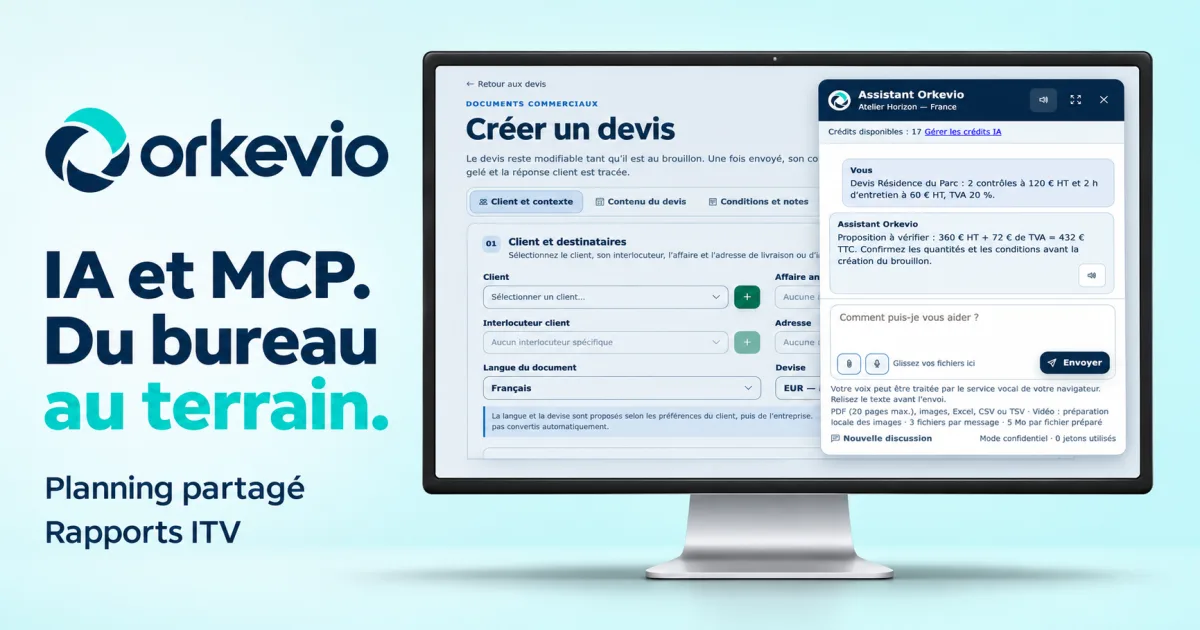
Orkevio continues to move forward, with an AI assistant integrated into business screens, an MCP connection to ChatGPT and more detailed workflows for shared scheduling and ITV reports. After the project’s first presentation, I wanted to show more concretely what these tools make possible, from the office to field teams.
I’m developing Orkevio at SDX Development around a single thread: find the customer, prepare the documents, organize the job and keep a record of the work completed. The developments presented here build on the product’s native interfaces and fictional examples.
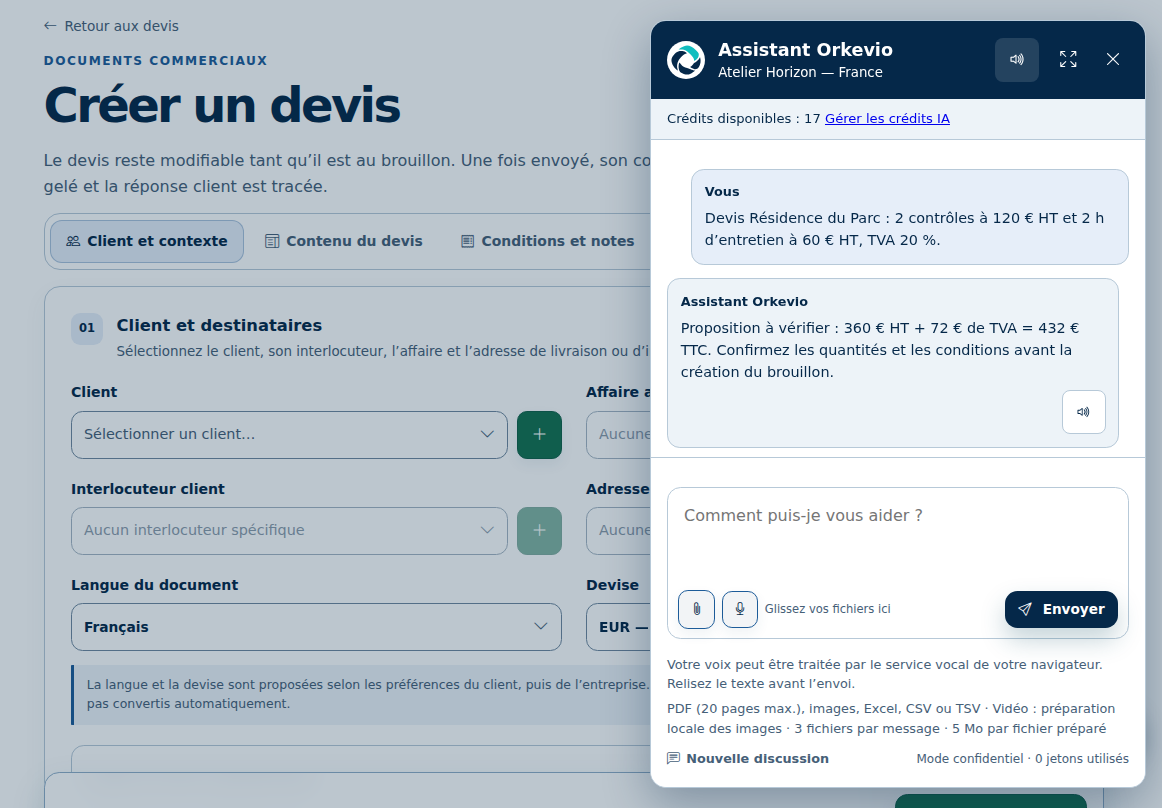
The Orkevio assistant opens directly in the application, alongside the file you’re working on. It can help rephrase text, summarize information, find details within the authorized context and prepare certain business actions.
One practical use is to describe a quote request in natural language: the customer, services, quantities and known prices. The assistant prepares a proposal for review before creating a draft. Attachments and voice input also make it possible to provide context without re-entering everything.
The same approach supports business documents and scheduling: prepare an action, review its details, then confirm. Any proposal from the assistant remains subject to the user’s permissions and the approvals required by the workflow.
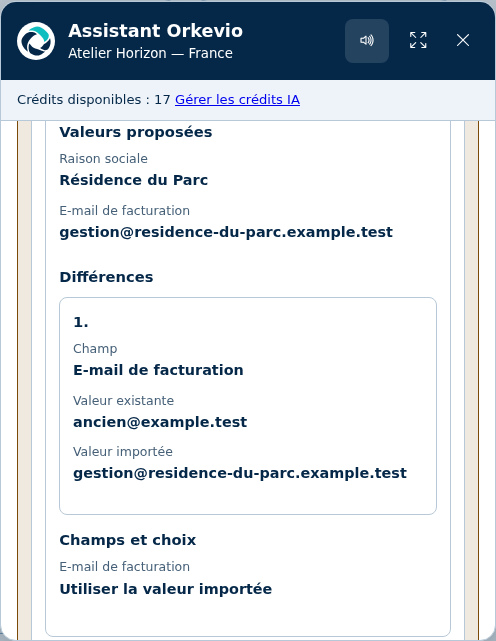
AI also helps prepare data imports. The demonstration workflow displays the existing value alongside the proposed value, making it possible to see what would change before applying the update. Duplicate detection complements this preparation work.
For reports, you can start with a business requirement and get a proposed structure: sections, fields, required information and form layout. You can then refine this proposal in the custom report builder to meet your company’s rules and needs.
The goal is to reduce preparation work while keeping the document suited to the job. The template must always be reviewed before publication and use on jobs.
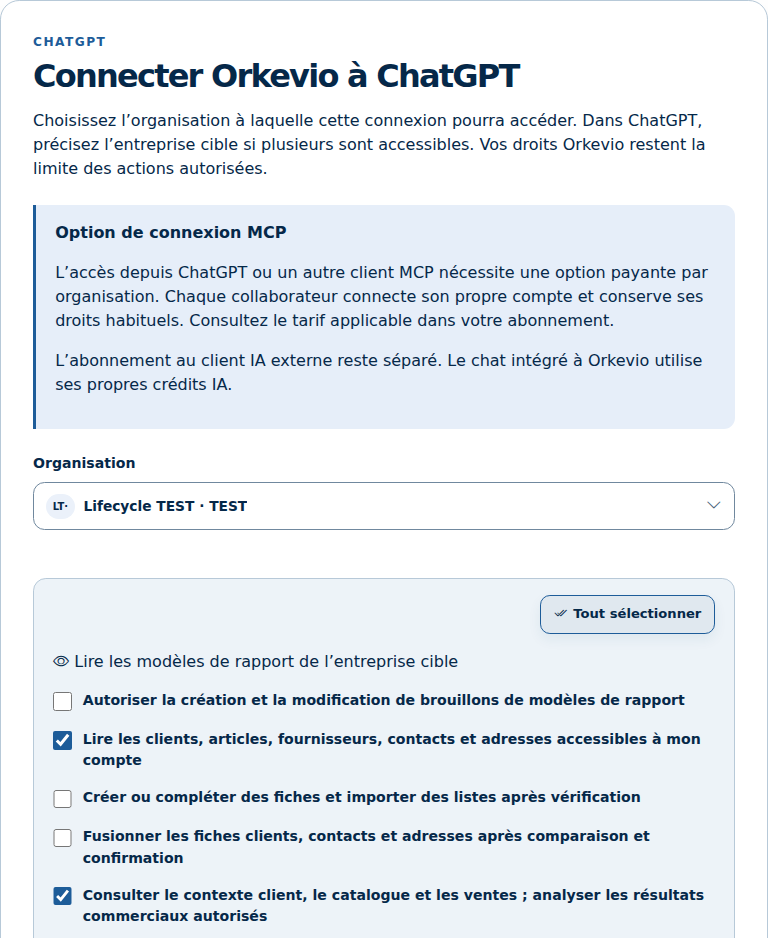
The MCP connection links ChatGPT to the authorized Orkevio environment. It provides access to the available tools for viewing information and preparing actions within the granted scope.
Configuration lets you choose the organization and the connection permissions. The working context and access rights remain decisive: connecting an assistant does not provide access to every file or every action across the organization.
This workflow complements the integrated assistant. Depending on the need, you can work in the Orkevio screen or from a connected conversation, with the application’s controls available for supported operations.
Explore Orkevio’s AI features and MCP connection ↗
The operational foundation presented in my first article continues to take shape. Authorized calendars from several companies within the same organization can be brought together in a shared view. The file distinguishes between the company managing the customer relationship and billing, and the company carrying out the job.
Site records describe locations and their features: buildings, homes, equipment, manholes or units suited to the business. This information provides context for preparing visits and estimating the time required on site.
Equipment exchanges between companies also have a workflow covering orders, shipping, receipt and related documents. Each company maintains its own stock tracking. These exchanges follow the organization’s scope and permissions.
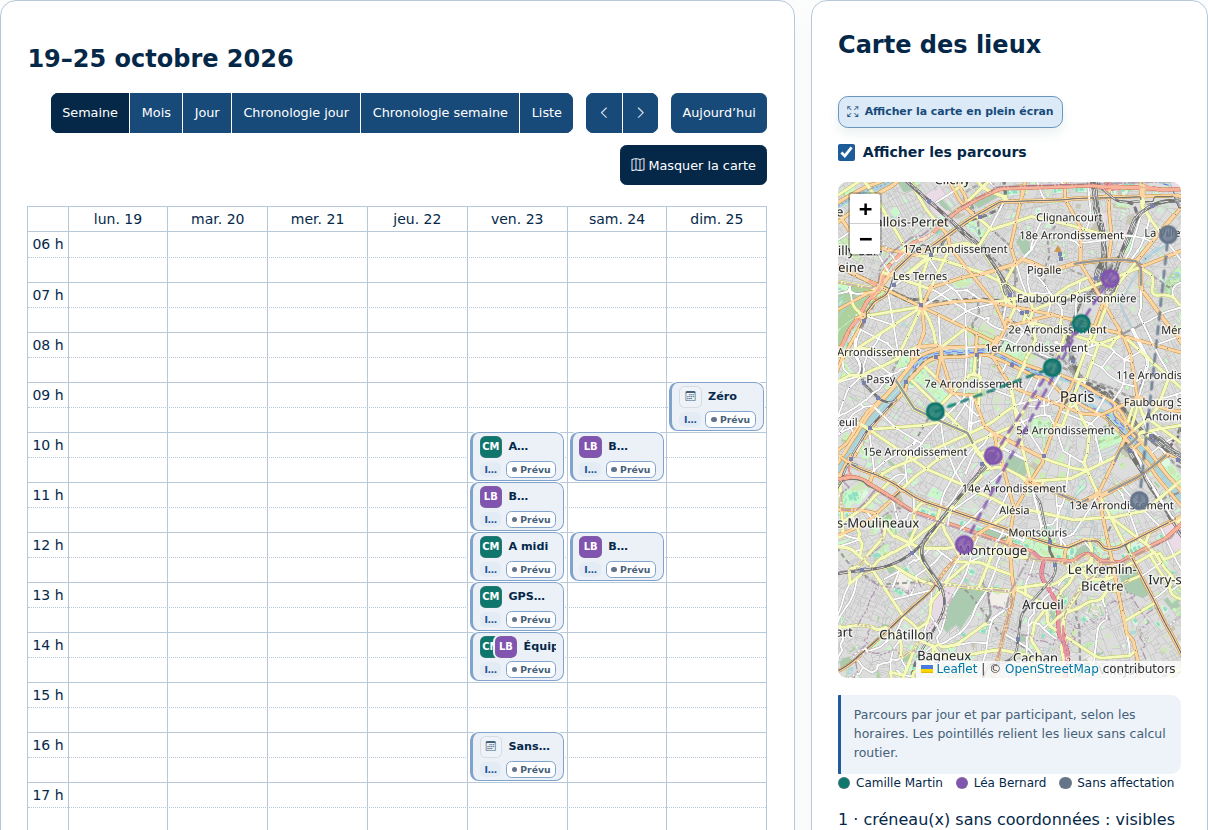
See shared calendars, sites and inter-company exchanges ↗
Orkevio ITV provides an environment dedicated to the CCTV inspection of drainage and sewer networks. It brings together files, pipes and manholes, videos, still images and observations, as well as plans, profiles and the PDF report.
Orkevio ITV complies with NF EN 13508-2+A1 for coding visual inspection observations. Separate profiles for pipes and manholes organize codes, characterizations and quantifications. Findings retain their position, distance and video references.
Assistance with analyzing inspection images remains in beta. It suggests observations for the operator to review, confirm or reject. This beta status applies to AI analysis; standards-based coding is part of the ITV workflow.
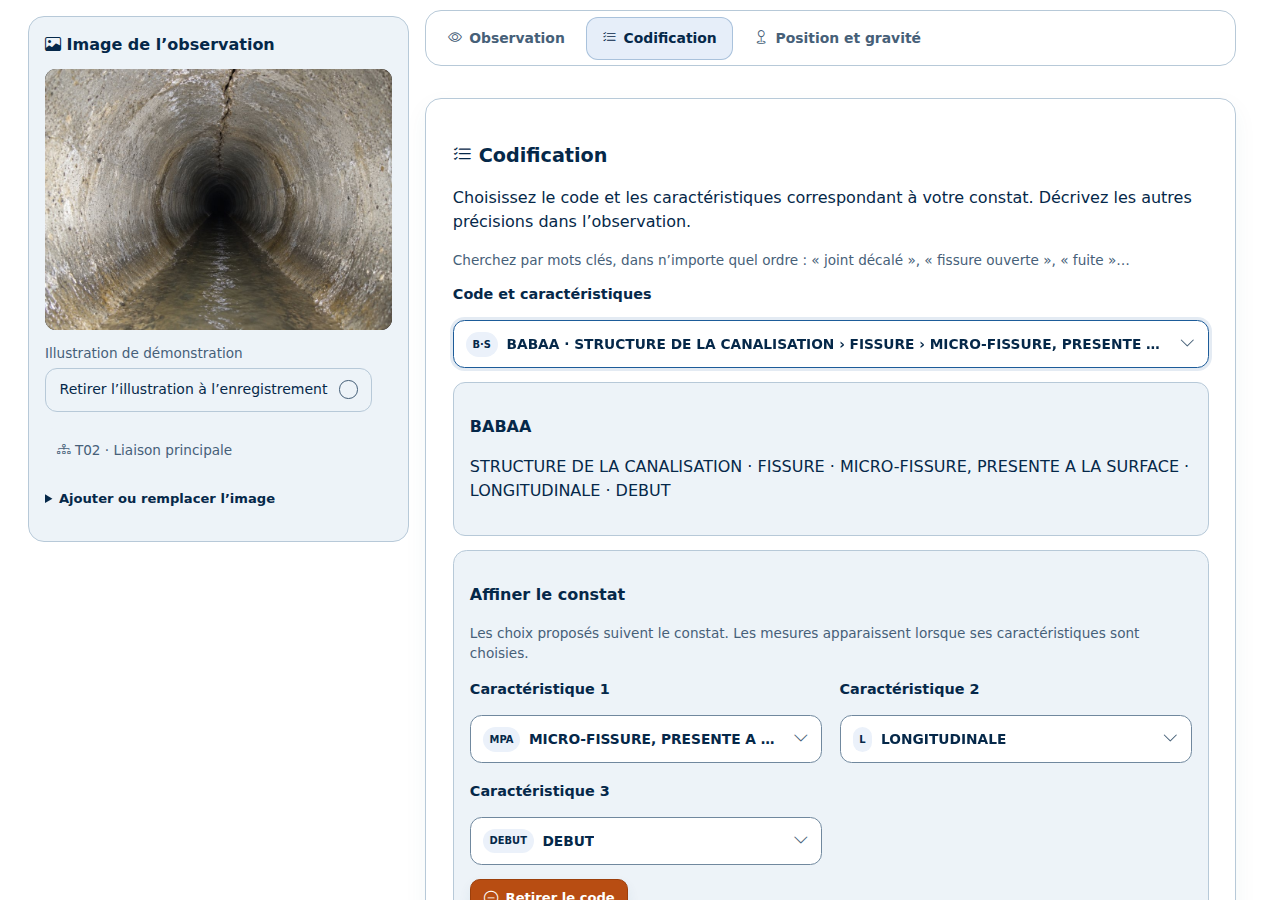
Explore Orkevio ITV and browse a demonstration report ↗
The AI and MCP workflows presented are already functional in the product’s development environment. I’m continuing to refine them alongside the rest of Orkevio and prepare for its launch. Access arrangements for the different spaces will be explained on the project website.
To follow the latest developments, the Orkevio website now brings together a page dedicated to AI and MCP, detailed features, expandable screenshots and product news.
A project developed at SDX Development to bring management, teams and business documents closer together.
Discover Orkevio and get launch updates ↗The screenshots show the native Orkevio interface with fictional data. The AI exchanges were prepared for demonstration and are not new responses obtained from a provider. The thumbnail is a generated illustration.
Enter at least 2 characters to start searching.
