
A technical product catalog
Help people compare equipment based on their needs and documented specifications. Compatibility, prices, and stock would remain controlled by catalog data, with a human handoff for sensitive decisions.

Applied AI
I developed an assistant that searches my site’s knowledge base and generates responses in the browser. A look back at this first version: its benefits, limitations, and possible applications.
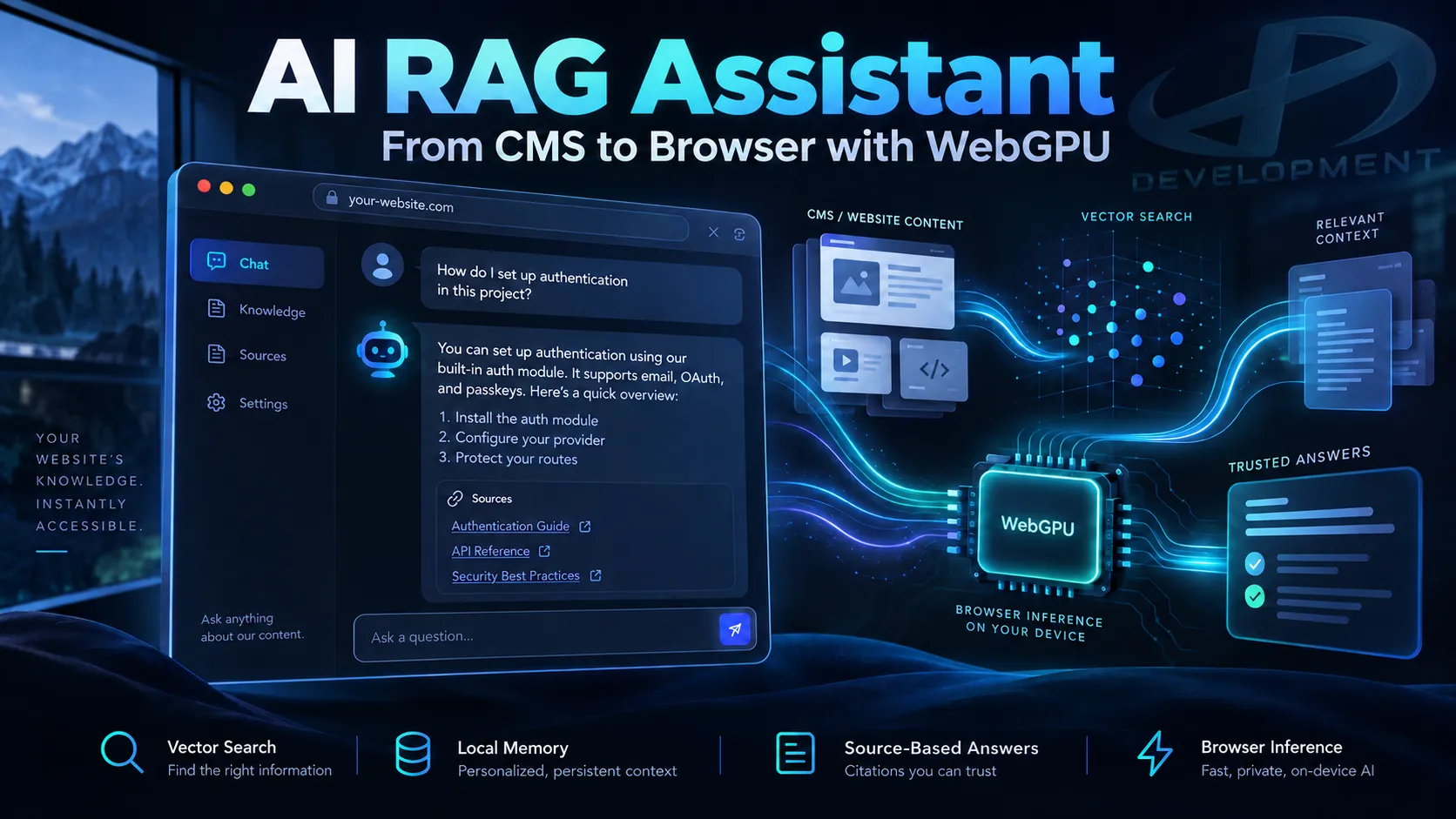
Your website already contains the answers. Visitors just need to find them. What if they could simply explain what they’re looking for?
“How much does a brochure website cost?”, “What does maintenance include?”, “Is it right for my project?” These questions span several pages, sections, or FAQs. As a freelance developer, I built and launched a first version of a RAG AI assistant that draws on SDX Development’s content and generates responses in the browser using WebGPU.
The result opens up possibilities beyond my own website: helping people find a home, choose a technical product, explore a course, or consult documentation. But this approach also has practical limitations. Here’s what it can do today, what it requires from the visitor’s device, and what applications still need to be built.
RAG, short for Retrieval-Augmented Generation, means searching for relevant information before asking a model to draft an answer. Instead of relying only on what the AI learned during training, we provide it with document excerpts selected for the question being asked.
WebGPU lets a web application use a device’s graphics processor for computations. In this system, it runs the response model and the embeddings model: the latter turns a question into a numerical vector to find content that is semantically similar.
The browser and server therefore each have a role. Model files must be downloaded, and document search remains connected to the server. This is not a fully offline assistant. A detailed description of the components, checks, and data exchanges is available in my technical case study of the RAG AI assistant.
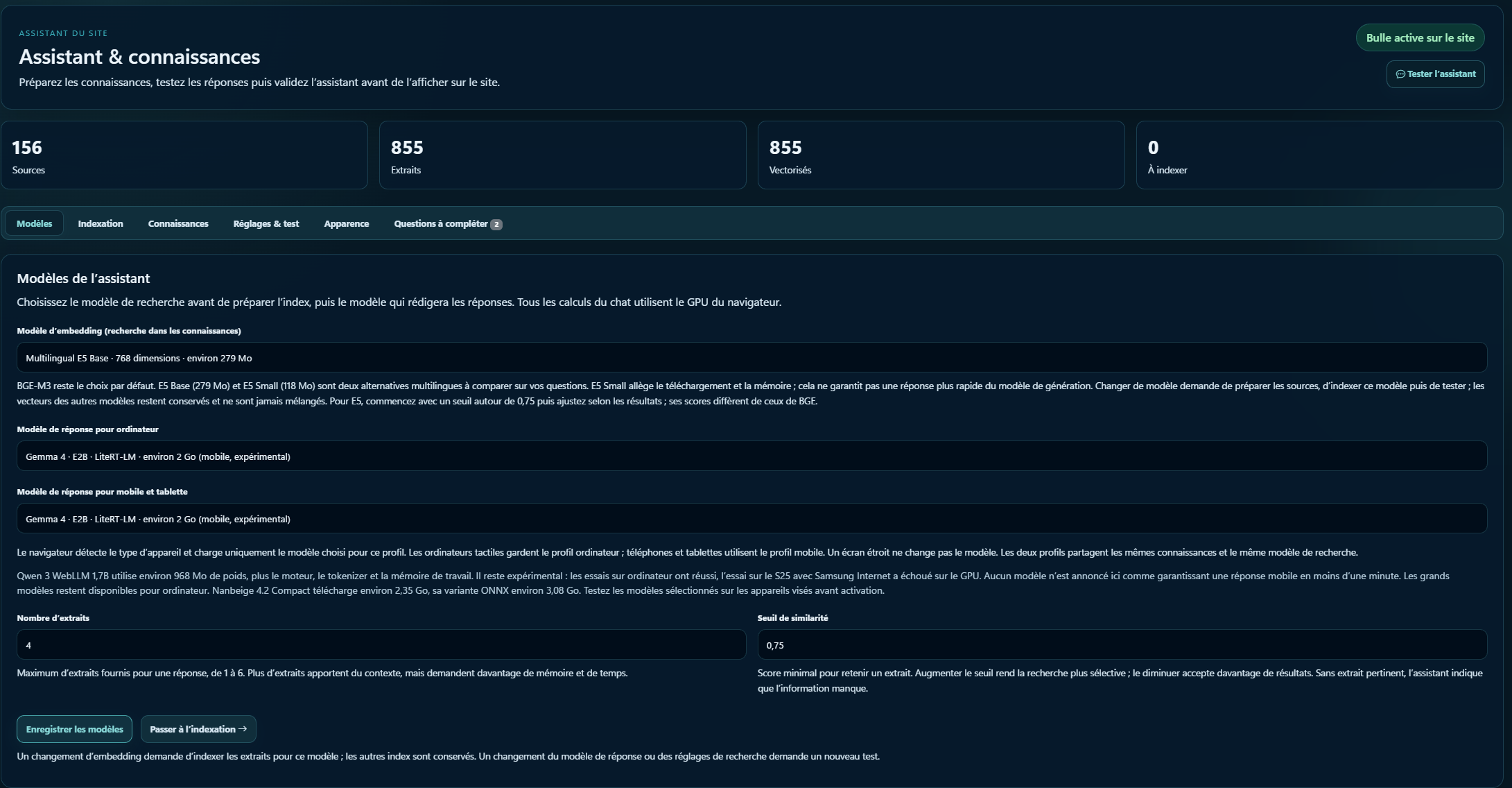
On my website, the assistant helps visitors find information about services, pricing, and practical details. Its knowledge base is managed in the CMS: documents, indexing, models, assistant behavior, and approval before activation.
Local memory is optional. It stores up to 60 exchanges for 7 days in the browser being used, with an option to clear it. This makes it possible to resume a discussion and understand a question like “And maintenance?” after talking about a brochure website.
This memory does not retrain the model. An earlier response does not replace current documents as a factual source. Rephrasing helps recover the topic of the question, then the search consults the knowledge base again.

I also adapted the interface for Android: a window that fills the visible height, a more compact input area, an accessible send button when the keyboard is open, and a launcher hidden during the conversation. The screen can stay on during a chat when the browser supports this feature.
When the workflow allows it, the assistant can prepare a form using information explicitly provided by the visitor. The visitor stays in control: no consent box is checked and no form is submitted automatically.
Real estate is a particularly interesting application. Visitors don’t always think in terms of filters: they describe a life plan, constraints, and preferences.
“I’m looking for a two-bedroom apartment with a balcony, near public transport, for under €300,000. I often work from home. Which properties might suit me?”
An assistant could ask about the desired area, distinguish must-haves from preferences, then suggest an explained shortlist: why each property is a match, what trade-offs it involves, and where to view the original listing. A follow-up like “Somewhere quieter, and with an office” could refine the search.
Price, floor area, number of rooms, and availability must be filtered using the agency’s structured data. Semantic search can then help match descriptions to the preferences expressed. Asking a model to “find a home” in text alone could lead to recommendations over budget or properties that have already been sold.
A robust integration would therefore connect the assistant to the up-to-date catalog, search rules, and property listings. Commute times, neighborhood amenities, and viewing availability would each require their own reliable sources. AI must not invent them.
The benefit would be a more understandable search: present a few properties and explain how they match, rather than leaving visitors to browse a long list on their own. A viewing request could then be prepared and confirmed and sent by the visitor.
The following scenarios are potential adaptations, not deployments already completed for clients. They have one thing in common: a specific question and verifiable information to answer it.
Help people compare equipment based on their needs and documented specifications. Compatibility, prices, and stock would remain controlled by catalog data, with a human handoff for sensitive decisions.
Guide visitors toward a trip, accommodation, or activity based on their preferences. Availability and prices would come from the booking system; RAG would explain services and terms.
Match a career goal with programs, prerequisites, and target audiences. The assistant could explain the differences and prepare a request for advice, without guaranteeing admission or funding.
Find a procedure, clarify a feature, or guide a user through a task. Private documents would require authentication and appropriately permissioned searches: my current demo uses public knowledge.
The conversation can connect information across several pages and account for follow-up details. Visitors don’t need to know the website’s terminology or the exact location of an answer.
The retrieved passages provide a documentary basis and links. Updated knowledge can be reindexed without retraining the model’s weights.
The response model runs on the visitor’s device. So I don’t pay per token or request to a generation API for this workflow. Hosting, downloads, and maintenance still need funding.
Models, the document scope, and search parameters are configurable. Separate profiles make it possible to evaluate one option for mobile and another for desktop.
The question, retrieved passages, and conversation history are processed by the model in the browser. I don’t send the conversation to a generation API to get an answer. Optional conversation memory also stays in the browser, where visitors can clear it.
The website server is still involved in search: it receives vectors representing questions and returns excerpts. In this first version, unanswered questions and their fallback message are recorded in the CMS to improve the knowledge base. Model files are downloaded from remote services. So the benefit is local generation and greater control over these data flows, with server exchanges clearly identified.
The budget focuses on hosting, downloads, integration, content maintenance, and testing. The financial benefit therefore depends on conversation volume and the cost of the initial load. I haven’t yet measured any conversion gains. The first version proves that it works; its impact on usage still needs to be evaluated.
The selected response model consists of around 2 GB of files, plus around 279 MB for E5 Base embeddings. The browser cache can avoid downloading them on every visit, but how long they are retained depends on the device, available storage, and browser policies.
This file size refers to downloads; the memory required to run the models is a separate issue. On a limited mobile connection, a low-powered device, or a browser that evicts the cache, the first visit can be a major obstacle.
The documented tests include Samsung Internet on a Samsung S25 Ultra and Chrome on a computer with an NVIDIA GPU. They don’t validate every phone or browser. WebGPU support alone isn’t enough: drivers, memory, and the inference engine matter too.
Firefox, Opera, and other environments need their own testing. When a device can’t run the model, the workflow should explain why and provide easy access to the content and contact options. The current system does not silently switch to server-side generation.
Local computation and review take time. Long responses or follow-ups can take over a minute on mobile. A device that heats up, runs low on memory, or conserves battery power may also behave differently.
RAG reduces the lack of context, but does not eliminate model errors. The review uses the same model: it is an additional check, not an independent verification of the truth. A plausible-sounding answer can still be wrong; sources and a clearly defined scope remain essential.
An outdated document or missing information doesn’t become reliable just because an AI rephrases it. The knowledge base and index need maintenance, and rapidly changing data require a connection to an up-to-date source.
Local generation keeps the model’s computation on the device. Search sends vectors representing questions to the server. In this version, unanswered questions and their fallback message are recorded in the CMS to improve the knowledge base. The models are downloaded from remote services. These data flows need to be explained to visitors.
My goal is to provide useful answers to common questions in under a minute on mobile. For the question about the price of a brochure website, tests on September 27 produced the following results, with models already cached and review included.
| Device tested | Measured workflow | Time |
|---|---|---|
| Samsung S25 Ultra · Samsung Internet | Complete, reviewed response about the price of a brochure website | 36.11 s |
| Computer · Chrome · NVIDIA Ampere GPU | Complete, reviewed response on the same subject | 13.06 s |
The responses produced were not exactly the same length. These two measurements describe my devices and testing protocol; they are not a browser ranking or a guaranteed speed for every question. The initial download is excluded. More complex requests took over a minute on the test phone.
I also compared E5 Base and E5 Small embeddings. A smaller model speeds up some steps, but that alone isn’t enough to prove a better final answer. Both latency and relevance need to be measured across the full knowledge base. Testing lighter models remains an open area of investigation.
The visible result relies on work that’s less visible: document indexing, vector search, download and cache management, inference workers, local memory, rephrasing, response checks, and adaptation for the mobile keyboard.
The CMS separates response models for mobile and desktop. The browser detects the device type and loads the corresponding profile. As of publication, Gemma 4 E2B with LiteRT-LM is selected for both profiles, and E5 Base for embeddings. The profiles remain independent so other options can be chosen after testing.
A significant configuration change requires a new test and reactivation. This avoids confusing “available in a list” with “validated in a real workflow.”
The next steps are clear: broaden tests across GPUs and mobile browsers, measure the initial load, compare models on a set of business-related questions, and explore lighter exports. Server-side generation could be considered for some devices, with an explicit choice regarding costs and data. It is not part of this first version.
The best starting point is a limited, testable need, rather than an assistant expected to do everything.
With this first version, I built a specialized assistant that uses my website’s knowledge and runs on the visitor’s browser. It also shows why the model alone isn’t enough: the data, checks, and interface determine how useful the result is.
You can try the assistant on SDX Development and read the full case study, including its workflow diagram and technical choices. For a real estate website, catalog, or business tool, I’d start by defining and testing a workflow using your own data.
This article describes the first version launched on SDX Development. The screenshots are from the real project; the cover image is an illustration. The real estate, retail, tourism, and training examples are potential adaptations, with no client results or commercial performance attributed to them.
The times come from documented tests conducted on September 27, 2026, on a Samsung S25 Ultra and a Windows computer with an NVIDIA Ampere GPU. They include the response and review workflow, with the models cached, and exclude the initial download. The protocol, limitations, and model choices are detailed in the case study.
APPLIED AI
Computer vision, YOLO and RAG become useful when they connect to your real data, teams and constraints.
Enter at least 2 characters to start searching.