
Repairs and technical callouts
Plumbing, electrical work, locksmithing: prepare the request, schedule the visit, find the necessary parts, and provide a report with photos and signatures.

Product development
From the office to on-site teams: organize jobs, track resources, and create reports tailored to each trade. First opening targeted before the end of 2026.
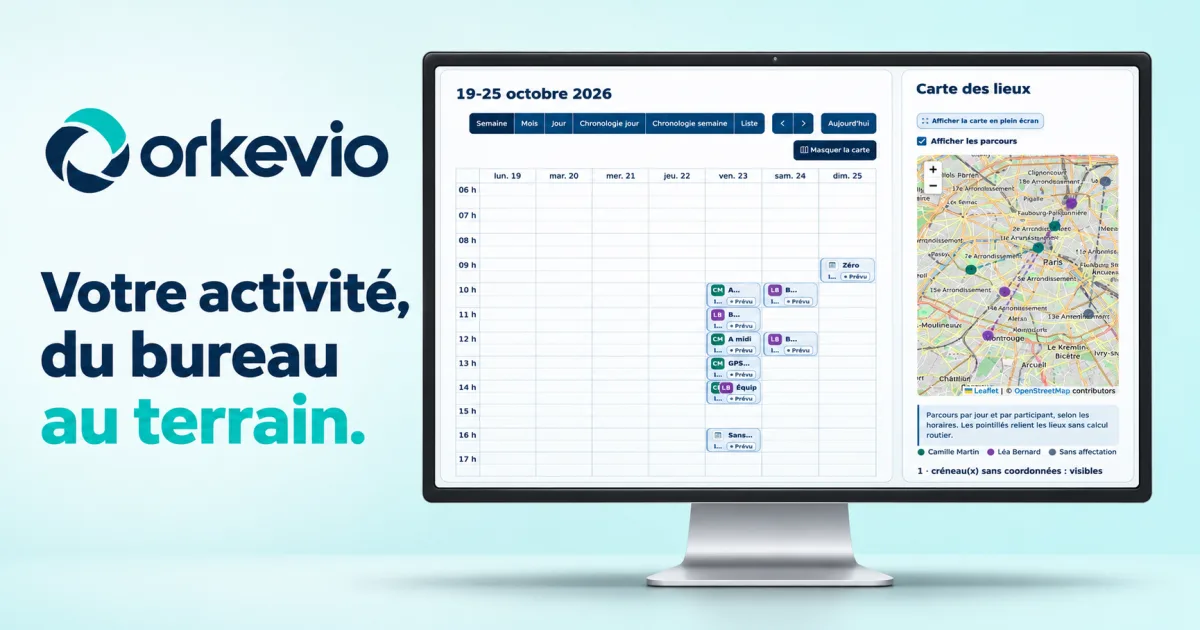
I’m developing Orkevio, my personal SaaS management software project, to connect office work with the work of operational and field teams. Preparing a quote, scheduling a visit, checking available equipment, filling out a report, and tracking invoicing: I want these steps to come together in the same environment.
Plumbers, electricians, locksmiths, maintenance technicians, installers, sanitation companies, site managers, and maintenance teams don’t all work in exactly the same way. Yet many of their needs overlap. I’m building Orkevio around this shared foundation and the ability to customize trade-specific documents.
My ambition is to offer a platform that can support a wide range of trades, whether a company works at customers’ premises, in buildings, on technical installations, or across multiple sites. The software must also serve the people who prepare these jobs: operations managers, administrative teams, sales representatives, coordinators, and inventory managers.
Plumbing, electrical work, locksmithing: prepare the request, schedule the visit, find the necessary parts, and provide a report with photos and signatures.
Maintenance technicians and after-sales teams: describe equipment, structure inspection points, document findings, and organize follow-up work.
Installers, fitters, and assemblers: link supplies to the job file, prepare time slots, and create an installation or commissioning report tailored to the work completed.
Leak detection, maintenance, and sanitation work: identify locations, inspection chambers, or pipes, bring observations together, and keep photos of the findings.
Property managers, inspection teams, and residential service providers: distinguish between buildings and units, prepare visits, and adapt inspection reports to the details to be recorded.
Cleaning, building maintenance, or landscaping: organize visits, describe the quantities to be handled, and create customized checklists or reports.
Fire damage professionals and qualified experts: bring findings, photographs, observations, and appendices together in a structured document.
Teams carrying out surveys, internal inspections, or site visits: organize sections, measurements, and tables according to the job and the information required.
These examples describe potential uses of the shared foundation and configurable reports. They do not mean that fully specialized software or a regulatory template already exists for every profession. I’m developing an adaptable foundation that will continue to grow in response to companies’ real-world needs.
Development is now at an advanced stage. The screenshots in this article show interfaces that have already been built, using fictitious data. Orkevio App brings together, among other things:
Discover Orkevio App’s features ↗
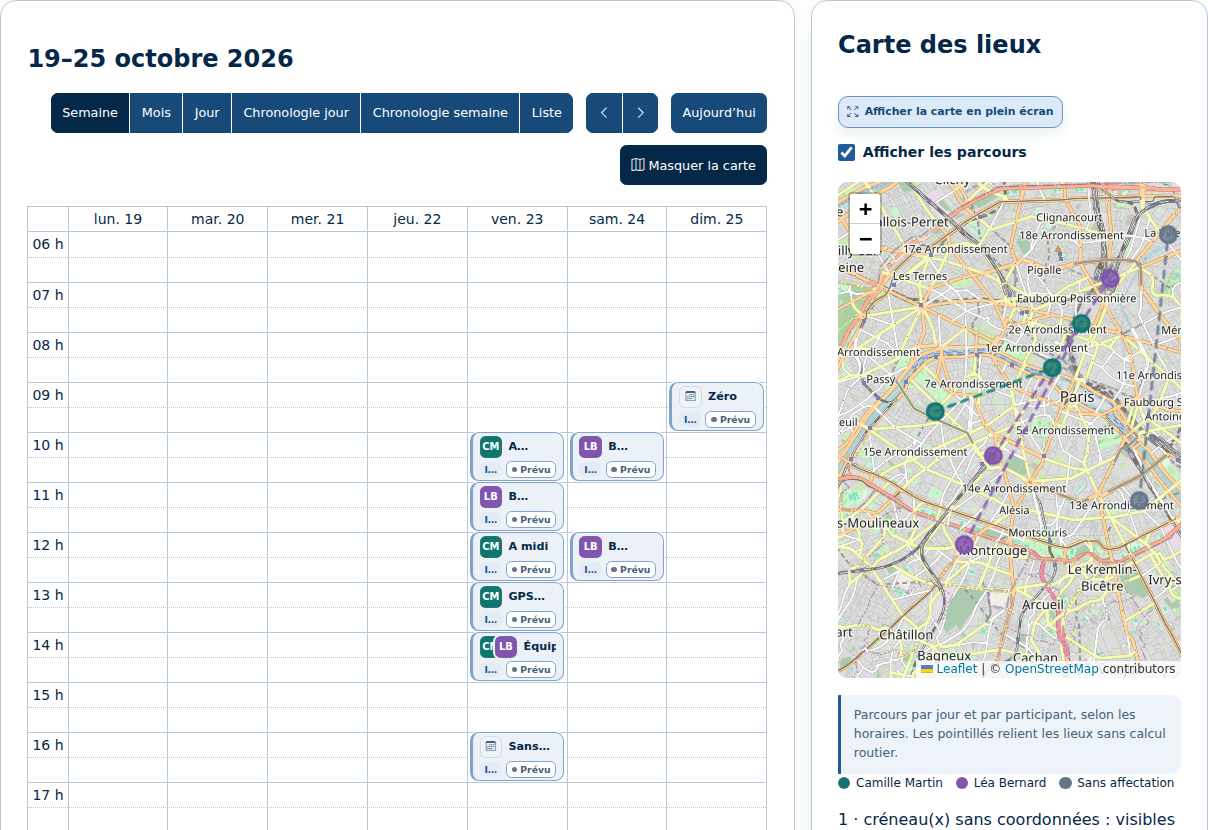
Field teams need to know where to work, when to be there, and what information they need. The schedule offers calendar and list views, alongside a map for addresses with coordinates. Participants, documents, and reports stay linked to the time slot.
You can prepare multiple visits for each address, then review them before creating them. Availability checks take participants’ working hours, breaks, buffers, and commitments into account. A suggestion helps prepare the decision; the booking takes place when the item is saved, with conflicts checked again.
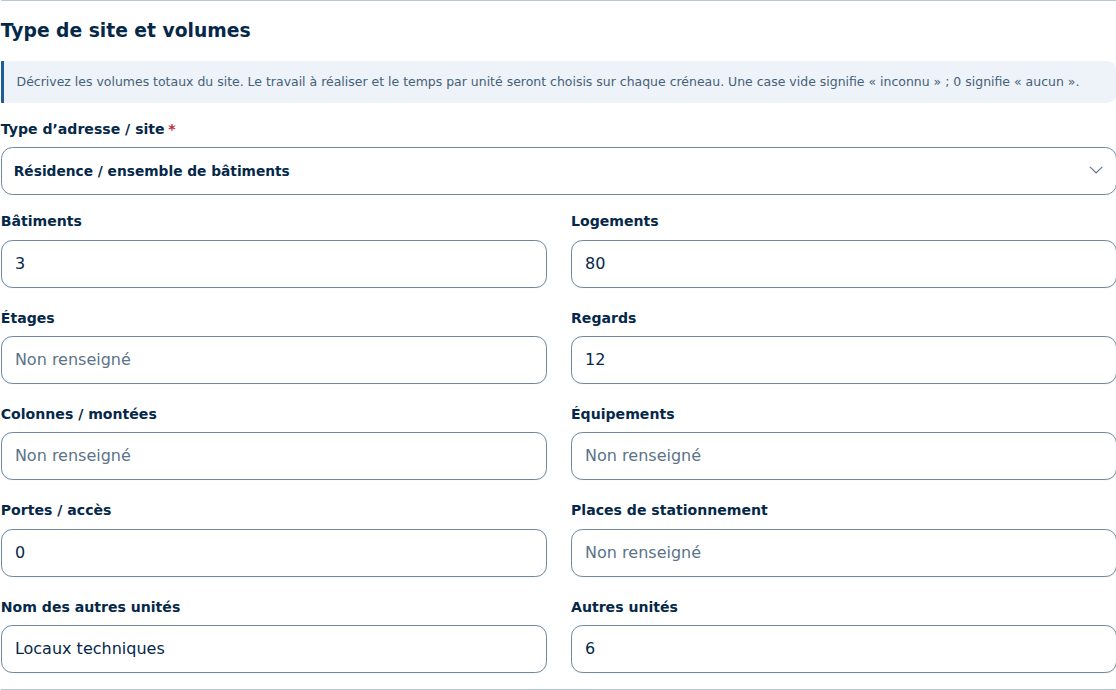
An address can also include the site type and its features: buildings, residential units, floors, inspection chambers, pipes, equipment, access points, parking spaces, or a custom unit. Billing, delivery, and service roles remain specific to each customer.
For a visit, you can then select the quantity to handle, the time per unit, and the preparation time. For example, 8 residential units at 12 minutes per unit, with 20 minutes of preparation, amount to 116 minutes to schedule, excluding travel. The pace is determined by the parameters entered by the company.
View the schedule ↗ · Explore site types and their features ↗
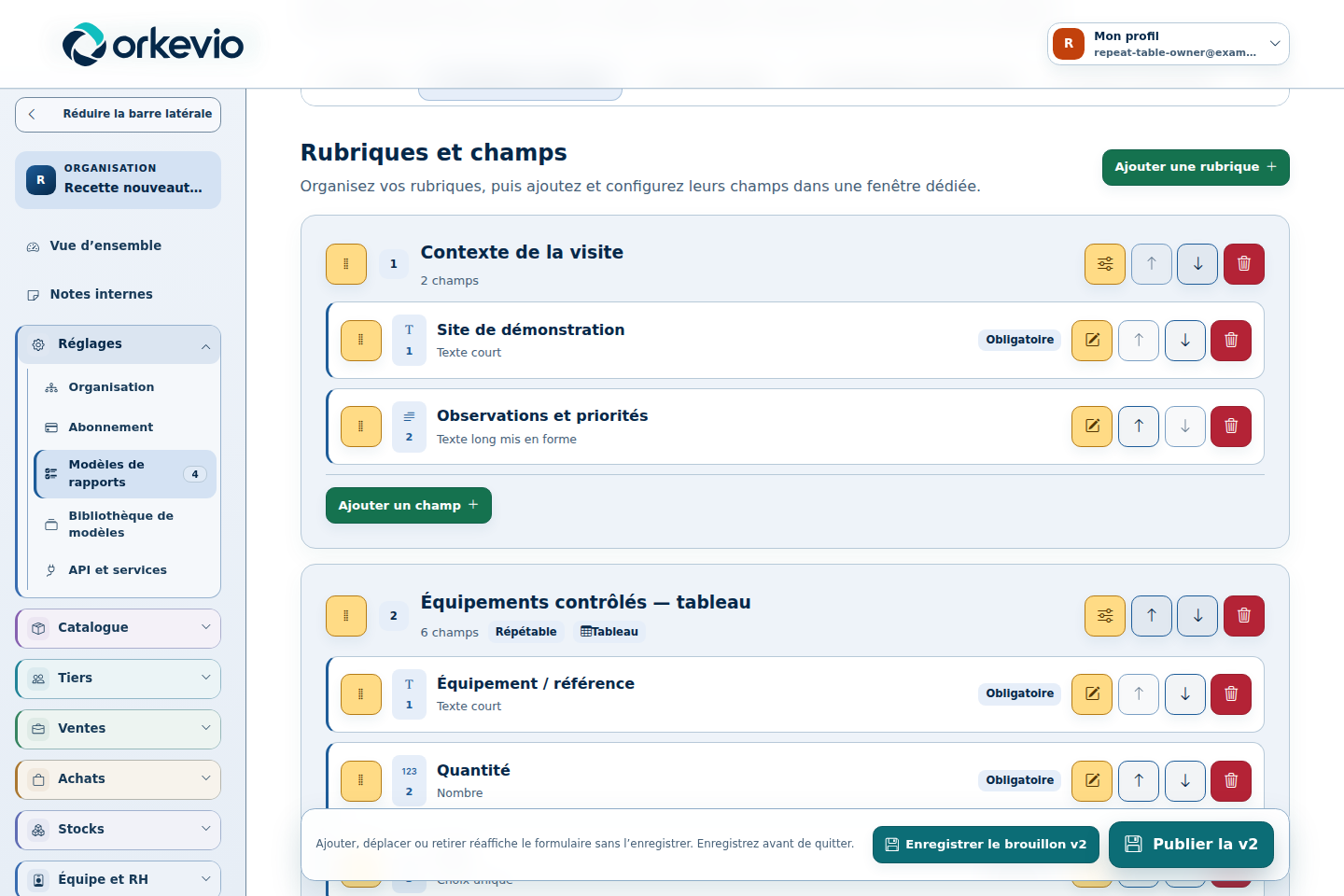
Customizable reports are one of the strengths I want Orkevio to offer. A repair, a maintenance visit, a residential inspection, and a post-incident assessment don’t call for the same questions or supporting documents.
The builder lets you put together sections and fields, set requirements and display conditions, and organize repeatable groups or tables. Photos, annotations, signatures, price schedules, and appendices can be added to the document according to the template.
Presentation is part of the process too: cover page, visual identity, paginated table of contents, headers, watermark, and attachments. The aim is to produce a report that reflects the company’s identity, from data entry through to the PDF. Templates are published by version, so future reports can evolve while the structure of existing reports is retained.
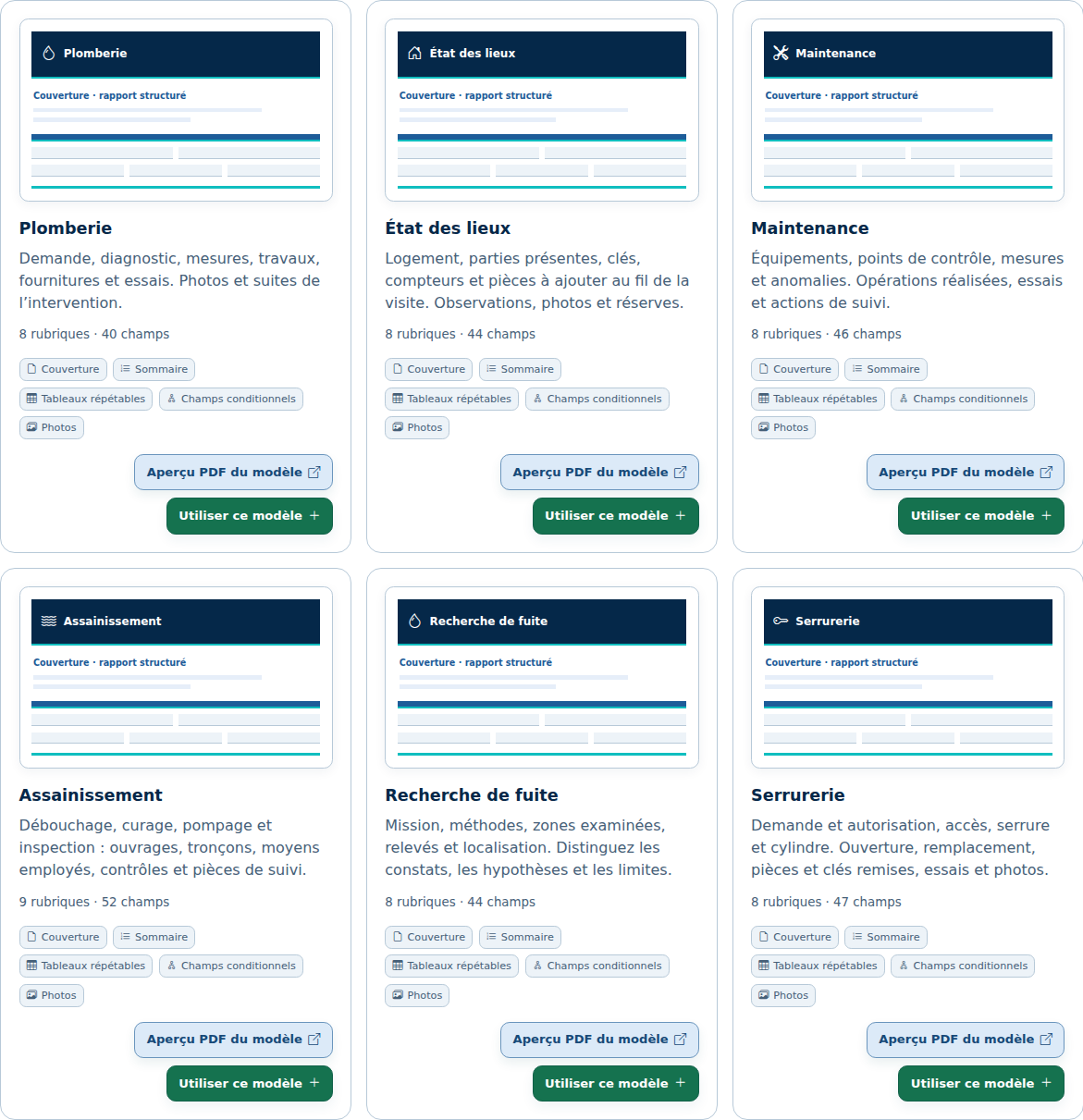
The library offers templates for plumbing, property inspections, maintenance, sanitation, leak detection, locksmithing, post-fire assessments, fire damage expertise, and electrical work. They remain fully editable: load a template into a draft, adapt it to the job, then publish your own version.
These templates must match the scope of the job and the qualifications of the person carrying it out. They do not automatically determine a cause, liability, or compensation, and do not replace a specialized regulatory certificate.
Discover the report builder and library ↗ · Browse the demo report ↗
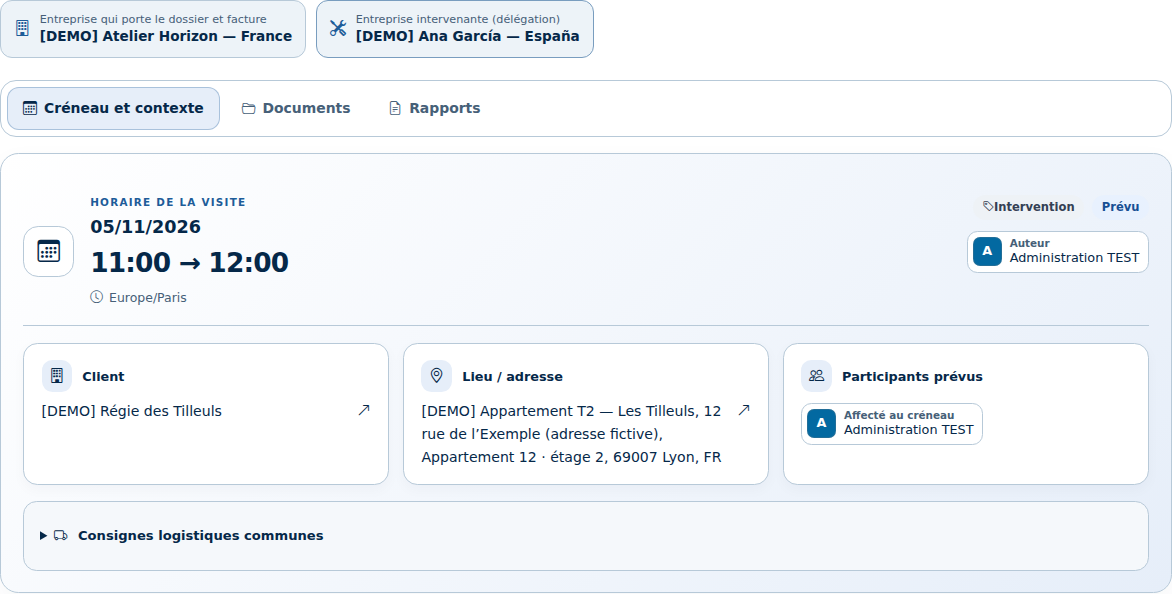
When several companies work within the same Orkevio organization, their authorized calendars can be displayed together. The schedule distinguishes the company managing the file and billing the customer from the company carrying out the job and completing the report.
A participant’s commitments are taken into account across companies. The company managing the file retains its templates, numbering, and document identity; sharing follows the read or edit permissions granted to teams.
Equipment exchanges also follow a documented workflow: order, dispatch, receipts, and linked invoices. Each company retains its own inventory and costs. This coordination applies to active companies within the same organization and environment; it does not open files up to all external companies.
Discover shared calendars and intercompany management ↗
The client portal extends this workflow. Authorized contacts can find their quotes, invoices, jobs, and reports in a personal space. The company chooses which sections and job files each contact can access.
Internal teams also have permissions tailored to each section: view, edit, or no access. I want information sharing to reflect each person’s responsibilities.
View the client portal ↗ · Learn about access permissions ↗
I’m also working on Orkevio ITV, dedicated to CCTV inspection files for networks: assets, pipe sections, inspection chambers, videos, snapshots, observations, plans, and reports. This part illustrates how a specific trade requirement can fit into the Orkevio ecosystem. Its development is ongoing.
Discover the Orkevio ITV offering ↗
My goal remains to open access for the first time before December 31, 2026. Development is advanced, and I’m continuing to refine the workflows and prepare for launch. This is still a target date: access arrangements and module availability will be specified when access opens.
You can already explore the features on the Orkevio website, view screenshots, and sign up to receive launch updates.
A project I’m building at SDX Development to bring management, teams, and trade-specific documents closer together.
Discover Orkevio and get launch updates ↗The screenshots show actual Orkevio interfaces using demo data. The opening visual is a generated illustration depicting a large screen displaying the Orkevio schedule, logo, and the slogan “Your business, from the office to the field.”
Enter at least 2 characters to start searching.